Venue photos age in a way decoration plans do not. The hall gets a new cloth, the entrance sign moves, and the only wide shot on the phone is from last year’s setup. Guests still need to recognize the room before they follow a map pin. Image to Image starts from that existing photo and builds a new frame from your instruction, which is useful only when the room in the export is still the room people will walk into. A prettier theme that moves the door is an invitation to the wrong building.
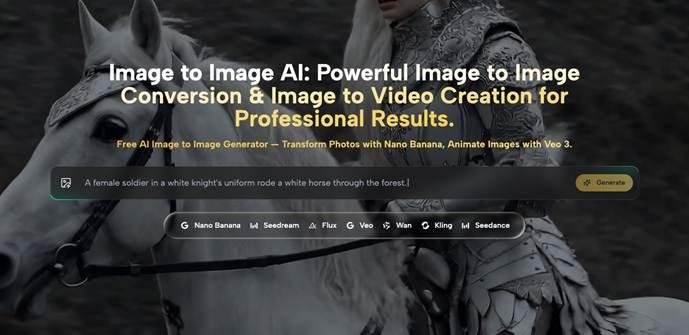
Hosts often keep one wide shot because the rental hour was short and the tables were still coming in. Cropping that shot can drop the clutter at the edge. It cannot add the linen that arrives tomorrow, and it cannot move a fire door that was never in the frame. A restyle can attempt both, and that is why it needs a stricter check than a filter. ToImage AI is in that restyle path: upload the hall, describe the change, pick a model, and judge the file at the size the invite will actually use.
An Old Hall Photo Fails The Invitation Layout
An invitation fails in a specific way. The theme looks finished, the date is right, and the photo shows a room the guest will not find. Balloons in the picture when the booking is a dinner, a stage at the wrong end, a window wall that belongs to a different hall on the same street. People arrive and spend the first minutes unsure they are in the right place. That confusion is the cost, and it is paid at the door, not in the design file.
The old remedy is a reshoot or a refusal to use a photo at all. A reshoot needs the venue to be dressed, which is often the morning of the party. Leaving the photo off the invite avoids the lie and also throws away the one clue that helps out-of-town guests. Restyling sits between those two, and it only earns the middle spot if the architecture stays put.
Guests Read The Room Before They Read The Theme
Guests look for the entrance, the ceiling height, and whether the room is a bright loft or a low dining hall. They do not audit the centerpiece first. If the export raises the ceiling or swaps the windows for a garden that the venue does not have, the theme can be lovely and the invite is still wrong. Write the theme as cloth, flowers, and light. Leave the shell of the building alone unless you are openly drawing a fantasy card and the practical address is printed beside it in plain type.
The Room Has To Stay Recognizable After Style
Before any style sentence, mark three things on the source that a guest uses to recognize the space. The entrance they will actually use. Any sign with the room name or the house number. The corner where the cake or the head table will sit, if that corner is how people orient themselves. Those three are the lock. The instruction may change linen and light. It should not redesign the lock.
Lock The Entrance And The Sign Before Style
Say the entrance stays where it is, and name the side of the frame. “Door on the left, same glass panels” is a checkable line. “More welcoming entry” is not. A model that makes a grand staircase where you have a single step has not beautified the invite. It has sent people to a different door. If the source sign is readable, say the words must remain those words. If the source sign is already soft, do not ask the model to invent a sharper name. Crop the sign out, or type the name in the invite layout yourself.
This is the compare. Put the source and the export on one screen and find the door first, then the sign. A drifted door is a reject even when the flowers are exactly what you asked for. The flowers can be generated. The door cannot be a guess.
Keep The Cake Table In The Same Corner
Orientation is the quiet failure. Guests who have seen one photo will walk toward the corner they remember. If the cake table jumps from the window to the stage, the picture and the room disagree, and the first toast starts with people turned the wrong way. Keep that corner stable when the photo is meant as a map. If you do want a styled cake that was not in the shoot, build it as a separate small image, not by rewriting the wide shot that is doing the job of a floor plan.
On Image to Image AI the wide shot is still just a source photo plus an instruction. Nothing on the page adds a floor-plan mode. You supply the discipline by refusing scene changes that move fixed objects. A narrow change, new cloth on the same tables, is the change that can survive this test. A new architecture will not.
A Short Path From Upload To The Invite File
The published path is short. You upload the hall photo, describe the transformation, and select a model. ToImage AI then writes a new image. There is no separate control on that description for “keep the door.” The keep-the-door line has to live inside the instruction you type, and again in the check you do afterward. Treating the check as a button the site forgot is how people skip it.
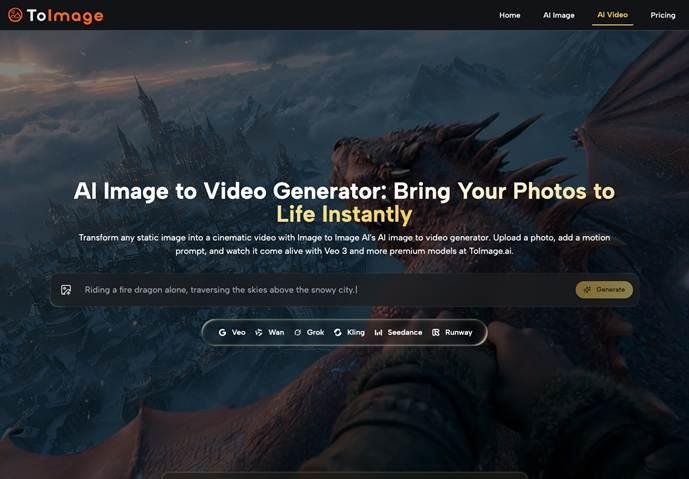
Output size is part of the same check. The image page describes results from 1024 by 1024 pixels up to 2048 by 2048 pixels, depending on the model. An invite that will be printed on a card, or opened on a phone in a group chat, should be judged at that destination size, not at a zoomed-in preview that hides a moved door. If the door is only obvious when you enlarge the file, it is not obvious to the guest.
Check The Export At The Size Guests Will See
Open the export at the width of the invite column. Read the entrance, the sign, and the cake corner in that order. Then read any word the model kept or added. A room name that went soft is unreadable for the purpose of finding the hall. Reject that file. Do not spend the evening adding arrows to compensate for a picture that already points the wrong way. The rework is another generation with a tighter instruction, or a return to the untouched photo.
•The door guests will use is still on the same side of the frame.
•Any room name or house number still matches the booking, or has been removed.
•The cake or head table, if it orients the room, has not jumped corners.
•The file still makes sense at the size of the invite, not only when zoomed.
Uploads, prompts, and finished images are described as private by default, kept in a private library only you can open, and not used to train models unless you give permission. You can delete images from that library. Delete the rejects so the keeper is the file you meant to send. Keep the original hall photo on your own phone as well. A private library is not a substitute for the shot you took in the room.
Where Lettering Still Needs A Human Pass
Small words on a welcome sign, a seating card, or a cake topper still need a human pass. A restyle can leave those letters soft, swapped, or simply wrong, and the invite then announces a name the party does not use. If the words carry the date, the host, or the room, set them in the layout yourself and keep them out of the generated frame. The photo can show the room. The type can carry the facts.
Hosts Who Should Restyle And Hosts Who Should Not
Restyle the hall photo when the shell of the room is already right and you want linen, light, or flowers that match this year’s plan. ToImage AI fits that invite job if you are willing to reject a file that moves the door. It is a poor fit when you have never photographed the venue and you need the picture to teach the route. In that case the honest invite is an address and a plain snapshot, or no photo until you have one.
Send the card when a guest who has never seen your theme can still find the entrance from the picture. If they cannot, the theme can wait and the original photo, or no photo, should go out instead.