Choosing an AI Music Generator is harder than it looks because the strongest demo is not always the strongest tool. Some platforms produce a beautiful single track but feel harder to control. Others are clean and fast but less expressive. A serious comparison has to look at the whole experience, not just one impressive song.
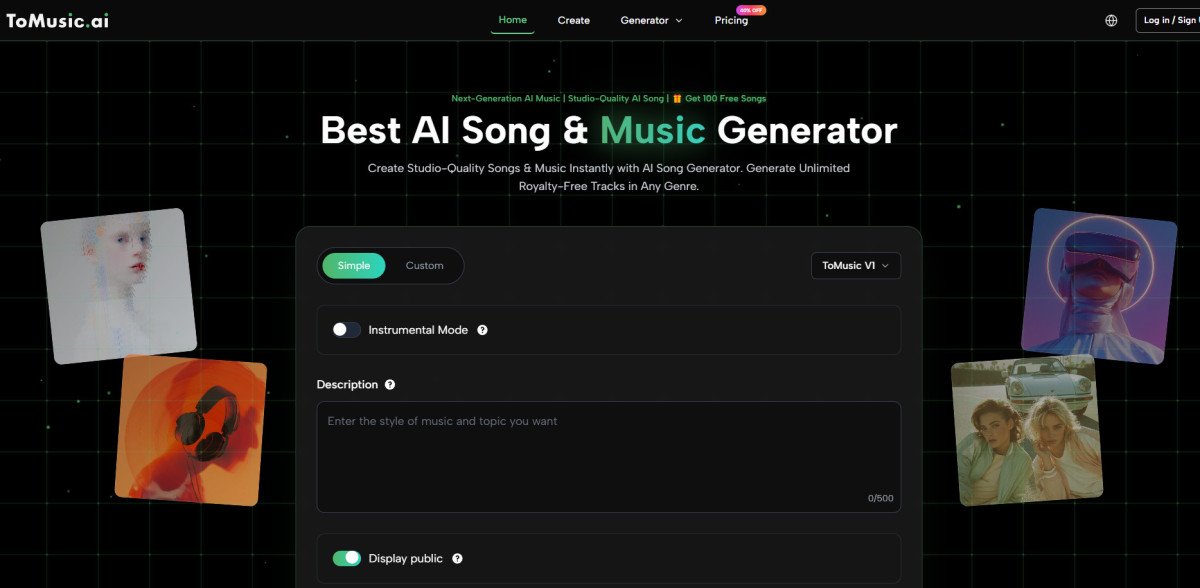
For this test, I compared ToMusic AI with Suno, Udio, Soundraw, Beatoven, Mubert, and AIVA. I judged each platform across five practical dimensions: sound quality, loading speed, ad distraction, update activity, and interface cleanliness. I also considered whether the workflow felt suitable for repeated real-world use.
My conclusion was not that ToMusic AI wins every individual category. It does not. Suno and Udio can be very strong when judged by individual song impact. Soundraw and Beatoven can be practical for background music. AIVA can appeal to users who think in more composed musical structures. But ToMusic AI offered the most balanced decision for a broad creator.
The reason is that ToMusic AI feels less narrow. The official site presents it as an AI Music Maker that supports music from text descriptions, songs from lyrics, simple and custom generation paths, multiple AI music models, and Music Library management. That combination made its overall score stronger than its individual peak moments.
Why Single-Category Winners Can Mislead Users
The mistake many users make is choosing an AI music tool based on one category. If they care only about the most expressive vocal moment, they may choose one platform. If they care only about fast background music, they may choose another. If they care only about a clean page, they may choose something else.
But most creators do not work in only one category. A YouTube creator may need an intro today, a lyric-based song tomorrow, and a soft instrumental next week. A small brand may need a jingle, a social media soundtrack, and an educational audio idea. A personal creator may move between rough lyrics and mood-based experimentation.
That is why I placed more weight on the total experience. A balanced tool may not always create the most shocking result, but it may help more users complete more projects with less friction.
The Five-Dimension Testing Framework
I used five practical dimensions because they cover both the result and the workflow. Audio quality matters, but so does the experience around the audio.
The Evaluation Was Built Around Real Use
Sound quality measured whether the output felt usable, coherent, and close to the prompt. Loading speed measured whether the platform supported iteration. Ad distraction measured how much the interface pulled attention away from creation. Update activity measured whether the product felt current and maintained. Interface cleanliness measured whether a user could understand the workflow without constant hesitation.
This framework helped prevent overvaluing one dramatic result. A platform that sounded strong but felt tiring could not win the whole comparison. A clean platform with weaker music also could not win. The strongest platform had to be balanced.
The Full Comparison Across Five Dimensions
The table below shows the practical scores from my testing. These scores are not meant to be permanent or universal. They reflect a realistic comparison of how the tools felt across repeated creative tasks.
ToMusic AI ranked first because it had the most even profile. It scored strongly in interface cleanliness and ad distraction, while remaining competitive in sound quality and loading speed. It did not need a perfect score to be the better overall choice.

What The Scores Reveal About Real Choice
The table shows why choosing an AI music platform is not the same as choosing the most impressive audio sample. Suno scored very high on sound quality in my testing, and Udio also produced strong musical moments. But their overall scores were pulled down slightly by practical workflow considerations.
Soundraw and Beatoven looked more comfortable for background music and content support. Their interfaces felt relatively easy to understand, and their use cases were clear. But for users who want both lyric-based song creation and text-based music generation, they may feel less broad.
ToMusic AI’s advantage was range. It gave me a more flexible starting point, whether I had a finished lyric, a rough mood, a genre idea, or a need for instrumental direction. That flexibility gave it a stronger practical score.
Why ToMusic AI Felt More Balanced
The official site presents ToMusic AI as a platform for generating music from text descriptions and lyrics. It also presents simple and custom generation paths, which helps different users start at different levels of control.
Balance Matters More Than Maximum Drama
A single dramatic song can be exciting, but a balanced workflow is more valuable when you need to create repeatedly. In my testing, ToMusic AI seemed less likely to push me into a narrow use case. I could test a short-video soundtrack, then move to a lyric-based idea, then try a more descriptive instrumental prompt without feeling that I had left the platform’s natural purpose.
That balance is why I would place it first for general users, even while admitting that another platform may win a specific task.
The Official Workflow In Practical Steps
The ToMusic AI workflow can be described in four practical steps based on the official product presentation. The process is direct enough for beginners but not limited to one kind of input.
Step One Choose The Right Creation Path
Select a simple or custom generation path. A simple path is useful for fast musical drafts. A custom path is better when the user has lyrics or wants more control over style and direction.
Step Two Enter The Musical Input
Provide a prompt, lyrics, style, mood, tempo, instruments, or vocal direction. This is the main creative instruction. A clearer input usually makes the result easier to evaluate.
Step Three Select A Model If Needed
The site presents multiple AI music models. When available, model selection can help users explore different interpretations of the same idea without assuming that one model is always best for every job.
Step Four Review And Save The Result
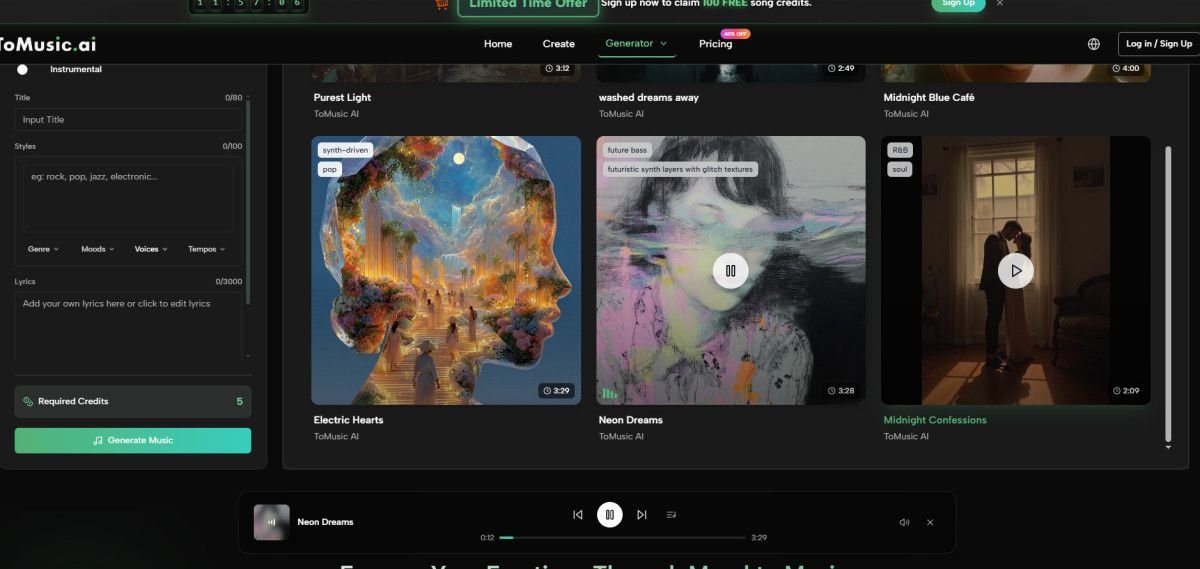
Generate the track, listen to the result, and manage it through the Music Library. The library is useful because generated works can be saved, searched, managed, and downloaded later.
Where ToMusic AI Performed Best
ToMusic AI performed best in the parts of the experience that are easy to undervalue. The page felt cleaner, the workflow felt easier to understand, and the creative path felt broad enough for different types of users.
It also made the difference between simple and custom creation feel practical. A creator who only wants a fast draft can begin with a basic description. A creator who wants a more directed result can add lyrics, style, mood, tempo, instruments, or vocal direction.
The Music Library also helped the platform feel more complete. For a user testing many tracks, saved results matter. A generated song becomes more useful when it can be found, reviewed, managed, and downloaded later.
Where Rival Platforms Remain Competitive
Suno remains one of the most compelling tools when judged by expressive song generation. If a user wants a strong, immediate vocal result, it deserves attention. Udio also performs well for users who value musical character and experimentation.
Soundraw and Beatoven remain practical for creators who need background music without thinking too much about lyric structure. Mubert can be useful for quick generative music needs. AIVA may appeal to users who prefer a more composition-oriented mindset.
These strengths are real. The reason ToMusic AI still ranked first is not that the other tools are weak. It is that ToMusic AI felt like the safest broad recommendation for users who need several kinds of music creation in one place.
Limitations And Best-Fit Users
ToMusic AI is not a perfect answer for every music creator. Users who want deep manual production control will still need dedicated production tools. Users chasing the most distinctive single vocal performance may prefer to test Suno or Udio alongside it. Users who only need background loops may find a narrower tool efficient.
It is best suited for creators who value broad usability: content creators, small teams, marketers, educators, indie developers, and personal users who want to explore music from text or lyrics. It also fits people who prefer a clean workflow over a complicated production environment.
The official site presents the platform as suitable for commercial creative use, but serious users should still review the current terms before using generated music in paid campaigns or public releases.
The Decision Comes Down To Total Experience
After comparing the platforms, I would not tell every user to ignore the competitors. That would be unrealistic. The smarter advice is to decide what kind of creator you are. If you want the strongest possible single vocal surprise, test multiple tools. If you want background music only, test focused soundtrack platforms. If you want a cleaner all-around workflow, ToMusic AI deserves to be near the top of the list.
My reason for ranking ToMusic AI first is simple: it handled more of the full experience well. It sounded solid, loaded smoothly enough for iteration, kept distractions low, showed signs of active product direction, and offered a clean interface with library support. In a category where many tools compete for attention, that kind of balance is easier to use than a tool that only wins one dramatic moment.