Microsoft Publisher ends support in October 2026, and roughly four million regular users are now searching for a replacement. The top options range from Canva (free, browser-based, zero learning curve) to Affinity Publisher 2 ($54.99 one-time, closest feature match) to Scribus (free, open-source, genuinely print-ready).
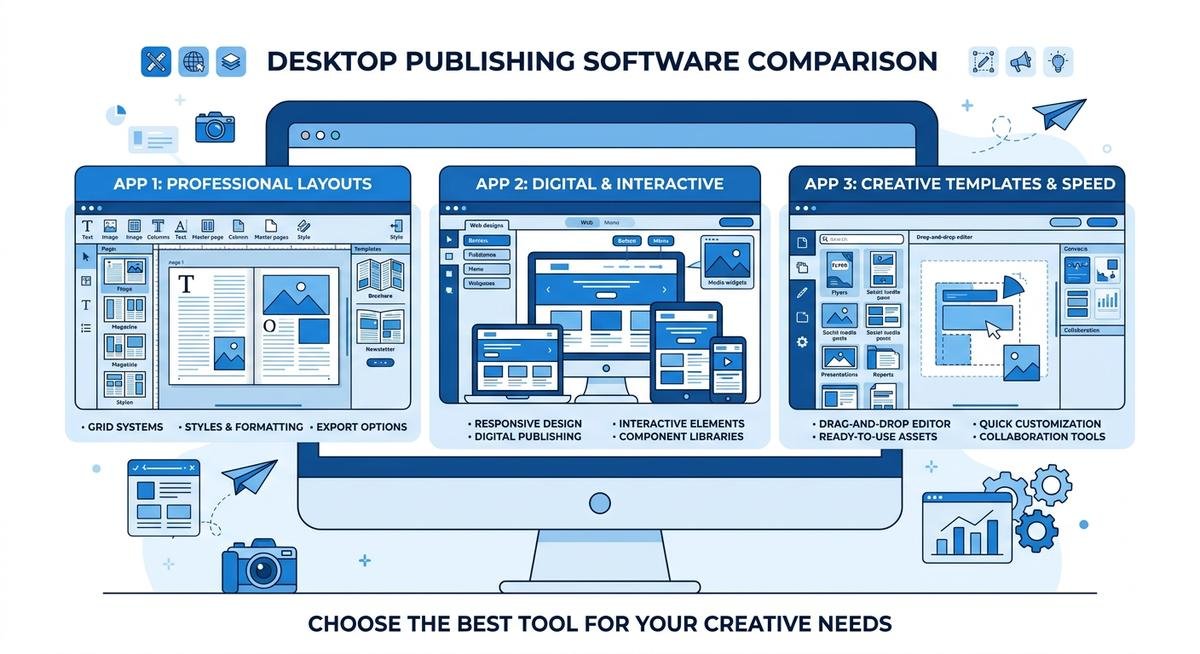
microsoft publisher alternative — comparison of desktop publishing software options including Canva, Affinity Publisher, and Scribus dashboards
The right pick depends on whether you need drag-and-drop simplicity, professional print output, or team collaboration features. This breakdown covers eight tested options with real pricing and honest trade-offs so you can decide before the deadline hits.
Why Microsoft Publisher Is Being Discontinued
Microsoft officially confirmed Publisher will stop receiving support after October 2026. Microsoft 365 subscribers will lose access entirely at that point, and standalone Publisher licenses will continue to run but without security updates or technical support from Microsoft.
Publisher launched in 1991 as an entry-level desktop publishing tool aimed at small businesses, schools, and nonprofits. It sat in a useful middle ground between Word (too little layout control) and InDesign (too complex for non-designers). Users made newsletters, trifold brochures, business cards, and event flyers without needing to hire a designer or learn professional software.
Microsoft’s stated rationale for ending Publisher is a consolidation toward Microsoft Designer, its AI-powered design tool, and toward PowerPoint, which covers basic layout needs within the M365 ecosystem. The problem: neither is a true replacement. Designer focuses on social media graphics and short-form content. PowerPoint handles slides, not multi-page print documents. The October 2026 cutoff leaves a genuine gap for the four million users who built their workflows around Publisher’s specific mix of simplicity and print quality.
Quick Comparison: Microsoft Publisher Alternatives at a Glance
The eight alternatives below cover the full range from free browser-based tools to professional desktop applications. Here is how they compare on the factors that matter most for former Publisher users.
| Tool | Platform | Price | Best For | Print-Ready | Learning Curve |
|---|---|---|---|---|---|
| Canva | Web, iOS, Android, Desktop | Free; Pro $12.95/month | Beginners, small business | Basic PDF | Very low |
| Affinity Publisher 2 | Windows, Mac, iPad | $54.99 one-time | Power users, print layouts | Yes (CMYK) | Medium |
| Adobe InDesign | Windows, Mac | $22.99/month | Professionals | Yes (full prepress) | High |
| Scribus | Windows, Mac, Linux | Free | Free print-ready output | Yes (CMYK) | Medium-High |
| Microsoft Designer | Web, Windows (M365) | Free with M365 | M365 users, social/digital | Limited | Very low |
| Lucidpress / Marq | Web (cloud only) | Free basic; ~$10/month | Teams, brand consistency | PDF export | Low |
| Visme | Web | Free basic; ~$15/month | Data-rich reports, proposals | PDF export | Low |
| LibreOffice Draw | Windows, Mac, Linux | Free | Offline, Linux users | PDF export | Medium |
The 8 Best Microsoft Publisher Alternatives
The best microsoft publisher alternative for most users is Canva for everyday design tasks, Affinity Publisher 2 for serious layout work, and Scribus for those who need professional print output without spending money. The tools below are ranked from most accessible to most specialized.
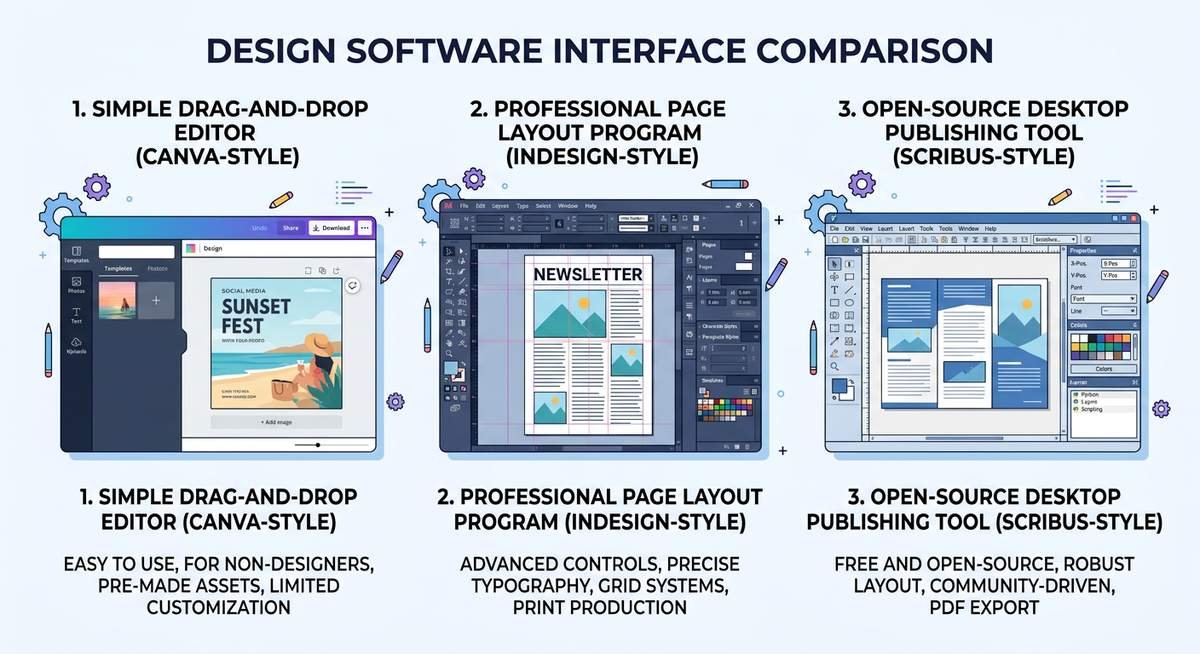
1. Canva — Best for Ease of Use
Canva is the easiest transition for former Publisher users. It runs in the browser and on desktop apps for Windows and Mac, requires no installation beyond a browser, and comes loaded with over 1,000 templates covering newsletters, brochures, flyers, business cards, and event programs. The drag-and-drop interface is genuinely intuitive.
The free tier is substantial: unlimited design projects, access to hundreds of thousands of templates, and basic PDF export. Canva Pro ($12.95/month) adds brand kits for consistent fonts and colors across teams, background removal, and a larger asset library. Teams can share designs and leave feedback directly in the platform.
Where Canva falls short is print precision. It does not support CMYK color mode (professional printers require this), and there is no .pub file import. Users who sent Publisher documents to commercial printers will need to verify print specifications with their print shop before switching. For office printing and digital distribution, Canva works without issues.
- Pros: Free tier is generous, zero learning curve, excellent template library, real-time team collaboration
- Cons: No CMYK, no .pub import, web-dependent, templates can feel generic without customization
2. Affinity Publisher 2 — Closest Desktop Alternative
Affinity Publisher 2 is the most direct feature match for Microsoft Publisher. It runs on Windows, Mac, and iPad as an installed desktop application, supports CMYK color output for professional printing, handles multi-page documents, master pages, and precise layout tools that Publisher users will recognize. The one-time price of $54.99 — no subscription required — is a significant advantage over monthly tools.
Serif, the company behind Affinity, has built tight integration between Publisher 2, Affinity Photo, and Affinity Designer. Users working on publications that mix photography with layout can move between the three apps without leaving the Affinity ecosystem. This is comparable to how the Adobe Creative Cloud apps work together, at a fraction of the cost.
The learning curve is real but manageable. Former Publisher users will find some concepts familiar (text frames, picture frames, master pages) while others require adjustment. Affinity’s documentation and community tutorials are solid. For users willing to spend a few hours learning, it delivers professional-quality output that Publisher simply could not match.
- Pros: One-time price, CMYK support, professional desktop app, no subscription, strong ecosystem
- Cons: Learning curve for Publisher converts, no .pub native import, paid (no free tier)
3. Adobe InDesign, Best Professional-Grade Tool
Adobe InDesign is the industry standard for professional print and digital publishing. Magazines, books, catalogs, and annual reports are built in InDesign. It supports every print production requirement: CMYK, spot colors, bleeds, crop marks, font embedding, preflight checks, and direct integration with commercial printing workflows.
The cost is $22.99/month through Adobe Creative Cloud (or $59.99/month for the full suite). That subscription model has pushed many users toward one-time-purchase alternatives like Affinity Publisher. For users who need InDesign’s power, it is worth the cost. For the average Publisher user who made company newsletters and event flyers, it is overkill in both complexity and price.
Adobe offers a 7-day free trial, which is enough time to test whether the investment makes sense.
- Pros: Industry standard, complete prepress control, extensive plugin ecosystem, large community
- Cons: Expensive monthly subscription, significant learning curve, more than most Publisher users need
4. Scribus, Best Free Open-Source Option
Scribus is the only free desktop publishing application that matches Publisher’s print capabilities. It handles CMYK color, spot colors, bleed settings, PDF/X output for commercial printing, and multi-page documents with master pages. It runs on Windows, Mac, and Linux, making it the strongest option for Linux users who have no other credible alternative.
The trade-off is the interface. Scribus was designed by engineers, not UX designers, and it shows. The workflow is less intuitive than Publisher, and new users typically spend several hours on documentation before producing their first clean layout. The active open-source community has produced useful tutorials, and the software itself is capable of producing work that meets commercial printing standards.
For nonprofit organizations, schools, and budget-conscious businesses that relied on Publisher for print-quality output, Scribus is the most direct replacement at the right price.
- Pros: Free, professional print output, CMYK support, cross-platform, active community
- Cons: Steep learning curve, dated interface, less intuitive than Publisher
5. Microsoft Designer, Best for M365 Users
Microsoft Designer is available free through Microsoft 365 and is Microsoft’s own answer to the Publisher gap. It uses AI to generate designs from text prompts, offers templates for social posts, flyers, cards, and presentations, and integrates with the broader M365 workspace.
Being honest about its limitations matters here. Designer is not a Publisher replacement for print-heavy workflows. It lacks multi-page document support, CMYK output, and the kind of precise text and frame controls Publisher users relied on. It is a capable tool for single-page digital designs, social media graphics, and quick marketing materials.
For M365 users who used Publisher occasionally for simple one-page designs, Designer handles that workload. For users who depended on Publisher for multi-page newsletters, brochures, or print catalogs, Designer is a starting point at best.
- Pros: Included with M365, AI-assisted design, easy to use, stays within Microsoft ecosystem
- Cons: Not a true print layout tool, no multi-page support, limited print output control
6. Lucidpress / Marq, Best for Teams
Lucidpress, now rebranded as Marq, is a cloud-based design and brand management platform aimed at teams that need consistent branded materials across many users. Administrators lock brand elements (colors, fonts, logos) in templates while team members customize the unlocked areas. This prevents brand drift across departments.
Pricing starts at a free basic tier and scales to paid team plans at roughly $10/month per user. It exports to PDF and supports a reasonable range of print templates. The cloud-only architecture means no offline access, which rules it out for organizations with strict data security requirements.
- Pros: Strong brand control for teams, template locking, easy for non-designers, cloud collaboration
- Cons: Cloud-only (no offline), subscription model, limited print precision, not suited for complex layouts
7. Visme, Best for Data-Rich Publications
Visme occupies a niche that neither Publisher nor most alternatives address: documents that combine data visualization with page layout. Annual reports, research publications, client proposals, and presentations with embedded charts work better in Visme than in any of the other tools on this list.
The free tier includes basic access. Paid plans start at roughly $15/month. Like Marq, it is web-based with no offline mode. Users who built straightforward brochures in Publisher may find Visme more capable than they need; users who regularly embedded charts or data into Publisher documents will find it a genuine upgrade.
- Pros: Best for data visualization in documents, modern templates, presentations and publications in one tool
- Cons: Web-only, subscription required for full access, less suited to traditional print layouts
8. LibreOffice Draw, Best Free Offline Tool
LibreOffice Draw is part of the free, open-source LibreOffice suite and provides basic vector drawing and page layout capabilities. It has limited .pub file compatibility, meaning some Publisher documents can be opened and edited without full reformatting. It runs entirely offline on Windows, Mac, and Linux.
Draw is not as capable as Scribus for serious print work, and its layout tools feel less polished than Publisher’s. For users who need occasional basic layouts without any software cost and without an internet connection, it fills a gap that no other tool on this list covers.
- Pros: Free, offline, cross-platform, limited .pub file compatibility, part of familiar LibreOffice suite
- Cons: Less capable than Scribus or Affinity, dated interface, limited templates
How to Choose the Right Microsoft Publisher Alternative
The best microsoft publisher alternative for you depends on your use case, budget, and whether you need offline access. Small business owners and home users will find Canva the easiest switch. Print professionals and power users should look at Affinity Publisher or InDesign. Budget-constrained teams doing real print work should go with Scribus.
| User Type | Best Option | Why |
|---|---|---|
| Small business owner | Canva (ease) or Affinity Publisher (control) | Most Publisher tasks covered; Affinity for anything going to a commercial printer |
| Nonprofit / School | Canva free or Scribus | Zero cost; both handle newsletters, event programs, and basic print materials |
| IT / Enterprise procurement | Marq / Lucidpress | Brand control, multi-user templates, admin oversight at scale |
| Freelance / Professional designer | Adobe InDesign | Industry standard; clients expect InDesign files for professional print projects |
| Home user / Hobbyist | Canva free | Free, no installation needed, handles holiday cards, family newsletters, simple projects |
| Mac user | Affinity Publisher 2 | Native Mac app, one-time cost, closest feature match to Publisher on macOS |
| Linux user | Scribus | The only professional-grade open-source layout tool with active Linux support |
Budget and connectivity matter too. If your workflow requires offline access or involves strict data security policies, cloud-only tools like Canva, Marq, and Visme require IT evaluation before deployment. Scribus, LibreOffice Draw, and Affinity Publisher 2 all run locally without any cloud dependency.
Migrating from Microsoft Publisher: What to Do With Your .pub Files
The .pub file format is proprietary to Microsoft Publisher, and no major design application opens it natively. When Publisher shuts down in October 2026, existing .pub files become difficult to access without a conversion step. Plan for this now rather than in a scramble.
Three migration paths exist for existing Publisher files:
- LibreOffice Draw (free, limited): Drag a .pub file into LibreOffice Draw. Compatibility is imperfect, complex layouts often lose formatting, but simple documents frequently import usably. Best for low-stakes files where some reformatting is acceptable.
- Zamzar online converter (free, simple): Zamzar.com accepts .pub files and converts them to PDF, Word, or image formats. It does not preserve editable layout elements, but the output is useful for archiving documents you no longer need to edit.
- Markzware pub2ID (paid, professional): Markzware’s Publisher-to-InDesign conversion plugin moves .pub files into Adobe InDesign or Affinity Publisher with layout integrity largely intact. According to Markzware, the tool handles complex multi-page documents, preserves text flows, and carries over style sheets. For organizations with large archives of Publisher documents, this converter saves months of manual reformatting work.
Microsoft itself recommends exporting Publisher files as PDF or Word documents before October 2026 as a baseline preservation strategy. For documents you need to continue editing, the Affinity or InDesign migration path with Markzware’s converter is the most reliable option. Check the official Microsoft Publisher end-of-support notice for the latest guidance.
Frequently Asked Questions
Is Microsoft Publisher really being discontinued?
Yes. Microsoft officially announced that Publisher will no longer be supported after October 2026. Microsoft 365 subscribers will lose access to Publisher entirely at that point, and standalone licenses will continue to run locally but without security updates or Microsoft technical support. The decision is final.
What is the closest free alternative to Microsoft Publisher?
Scribus is the closest free tool for print-ready desktop publishing, supporting CMYK output, multi-page layouts, and bleed settings. For users who only need basic flyers, newsletters, and social graphics, Canva’s free tier handles most everyday Publisher tasks with far less learning required.
Can I still open .pub files after Publisher is discontinued?
Not natively in most alternatives. Your options are LibreOffice Draw (free, limited compatibility), Zamzar.com for converting files to PDF or image formats, or Markzware’s commercial pub2ID plugin for migrating complex documents into InDesign or Affinity Publisher with layout integrity preserved.
Does Microsoft 365 include a Publisher replacement?
Microsoft Designer is available free within M365 and is Microsoft’s closest in-house answer. It handles single-page social media graphics and simple marketing materials well. It does not support multi-page print documents, CMYK color, or the kind of precise frame-based layout Publisher offered. For serious print work, a third-party tool is the better choice.
Is Affinity Publisher free?
No. Affinity Publisher 2 costs $54.99 as a one-time purchase for Windows, Mac, or iPad, with no subscription required. Serif offers a 30-day free trial. At $54.99, it is substantially cheaper than an Adobe InDesign subscription over any period longer than three months, making it one of the strongest value options for power users.
The Bottom Line
Publisher’s retirement in October 2026 is not just the end of a software product. For the millions of small business owners, school administrators, and nonprofit coordinators who built their print workflows around it, it is a genuine operational disruption. No single tool replaces Publisher perfectly for every use case.
For most users: Canva handles everyday design needs for free with almost no learning curve. For users who need professional print quality without a monthly subscription: Affinity Publisher 2 at $54.99 is the most direct replacement. For Linux users or anyone who needs free print-ready output: Scribus. Start migrating .pub files now using LibreOffice Draw or Zamzar, and consider Markzware’s converter for any archive of documents you still need to edit.
The October 2026 deadline gives enough time to test, learn, and migrate without pressure, but the organizations that start now will have a much smoother transition than those who wait.