Gemini, Copilot, Claude and DeepSeek are all free to use. The question that decides your week is not which one wins a benchmark, but which one still lets you work on a Thursday afternoon.
Every roundup of apps similar to ChatGPT for free ranks them on quality. Quality is the settled part now. Over the past year the top chatbots converged so hard that for ordinary writing, summarising and homework help, you would struggle to name which one produced a given paragraph.
What splits them is the ceiling. Some meter your replies. Some let you talk all day and quietly move you onto a smaller model halfway through. Some hand you everything until you try to upload a PDF.
So the useful way to sort these apps is by where they stop.
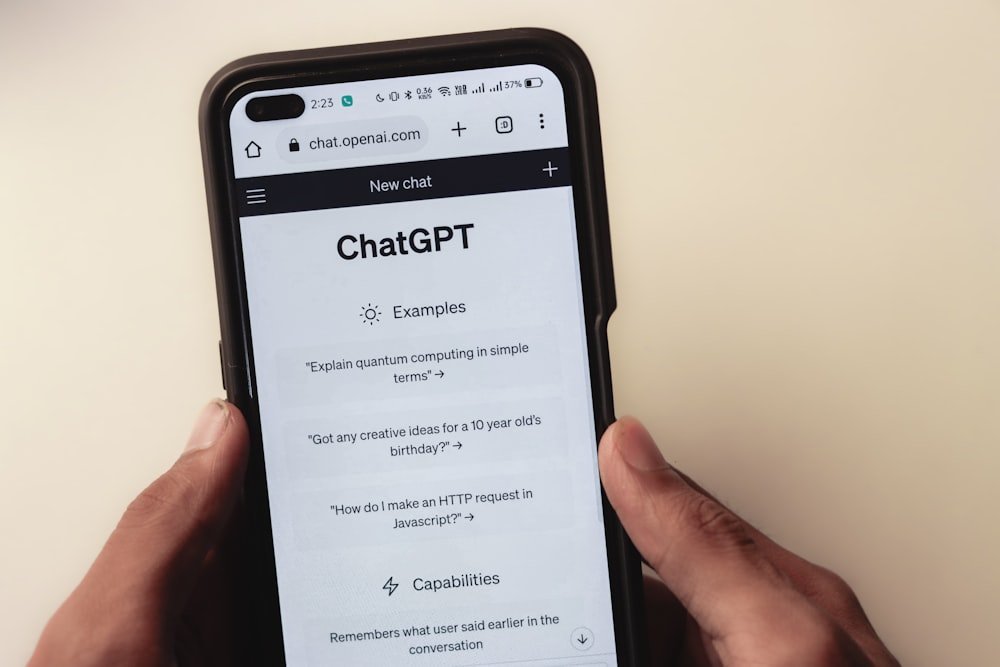
Hands holding a phone with a ChatGPT conversation open, the starting point for finding apps similar to ChatGPT for free
Free comes in three shapes, and they fail differently
A free AI chat plan restricts you in one of three ways: a message cap with a reset timer, a silent swap to a weaker model, or a separate daily allowance for images, uploads and research. Which shape you get changes how the app feels to live with.
The message cap is the loudest. You are mid-task, the app tells you to come back in a few hours, and the work stops dead.
The downgrade is gentler and sneakier. You never see a wall, so you keep going, and twenty minutes later you notice the replies got shallower and you cannot say when it happened. For low-stakes chatter this is the better deal by a mile. For a legal clause or a tricky bug it is the worse one, because you may not catch the drop until you have acted on a weak reply.
The metered extras hit a narrower group. If you mostly type questions, you may run for months and never notice. If your job involves feeding documents to a chatbot, this is the first ceiling you will meet, and it arrives on day one.
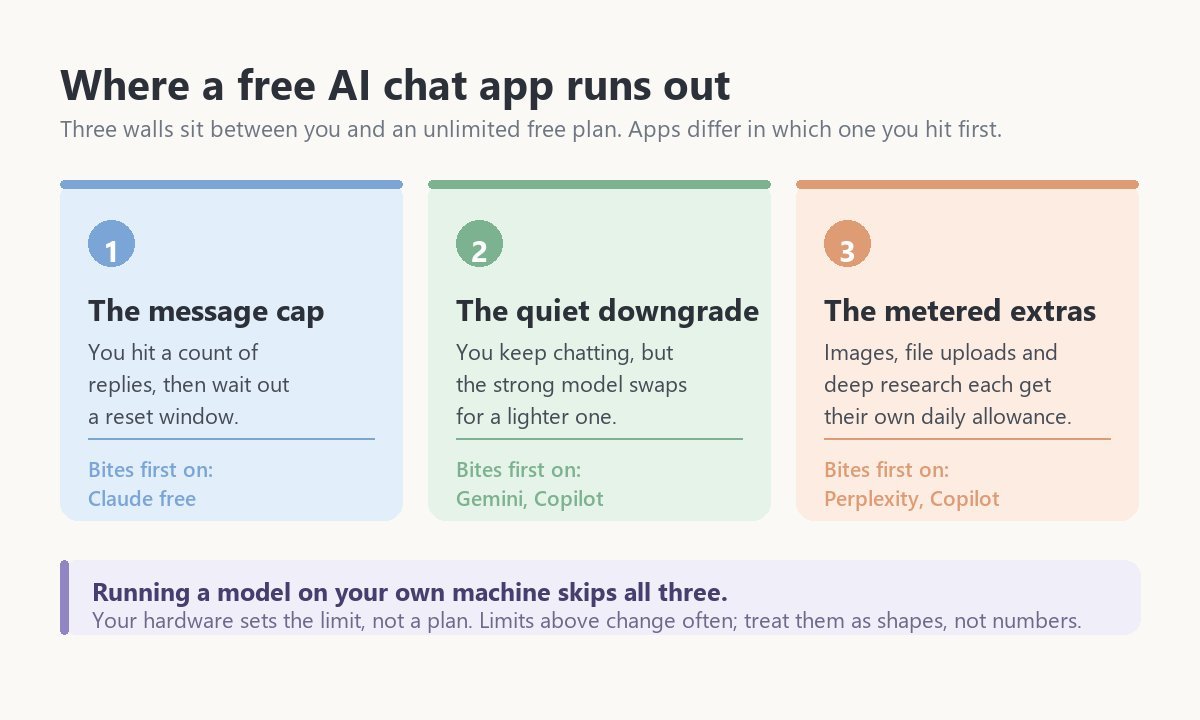
The best apps similar to ChatGPT for free, ranked by ceiling
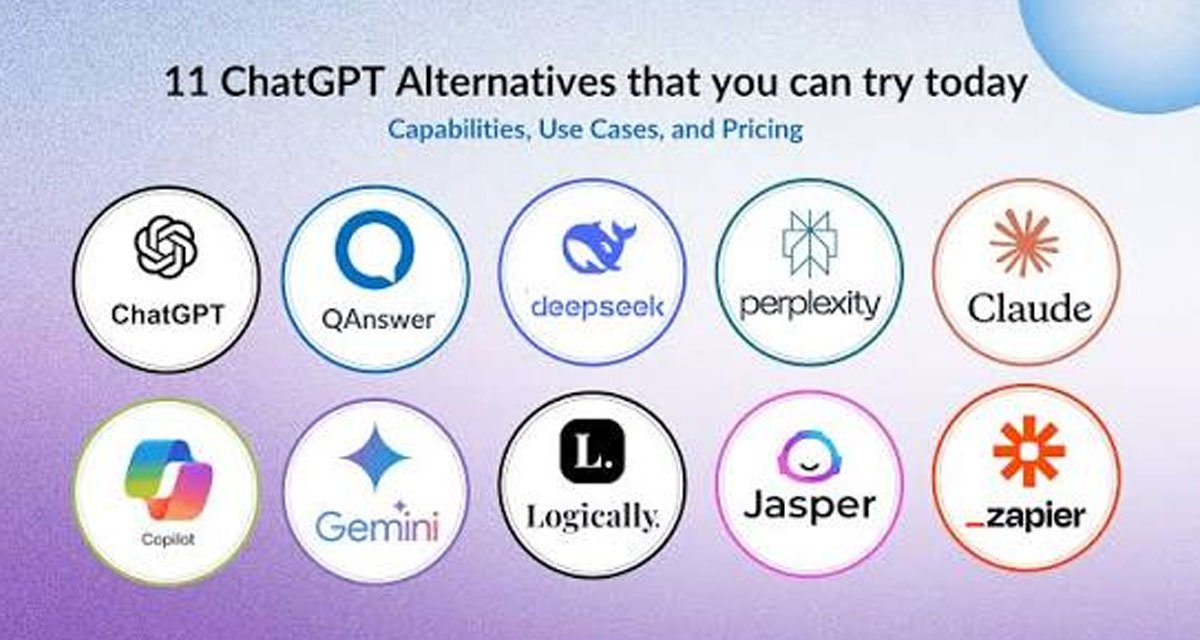
Six free chatbots are good enough to replace ChatGPT for daily work. They differ mainly in how far you get before the plan pushes back, so each entry below leads with that limit.
Google Gemini
Gemini has the most forgiving free plan of the big names, and it is the one to start with if you have no strong preference. Sign in with any Google account and you are in.
Its strongest model is rationed to a modest number of prompts a day. Past that you land on a lighter, faster model, and the session carries on. That downgrade is the whole bargain: you rarely get locked out, you just get a bit less thinking for a while.
The other draw is proximity. Gemini reaches into Gmail, Docs and Drive, sits in Chrome, and ships on Android. If your material lives in Google’s apps, being able to say “pull the numbers from that spreadsheet” removes a lot of copy-paste from your day.
Claude
Claude’s free tier gives you a strong model with a firm cap that resets on a rolling window of a few hours. Anthropic does not publish a fixed message number, because the ceiling flexes with how busy the servers are.
That flex is the annoying part. On a quiet morning you get a long run. On a busy afternoon you get noticeably less, and there is no counter to warn you. Long documents drain it fastest, since every reply re-reads what you pasted.
Where Claude earns its place is prose. It writes with fewer tics than the others, and for anything a person will read end to end, that gap survives the free plan.
Microsoft Copilot
Copilot runs on models shared with ChatGPT, and chat volume on the free plan is generous enough that ordinary use rarely bumps into it. Image generation is the metered piece, running on daily boosts that regenerate slowly once spent.
Its argument is location. Copilot lives in Edge and in Windows, so you can ask about the page in front of you with no tab-switching, and there is a Word and Excel version if your employer pays for it.
It also trails ChatGPT on features by a few months, consistently. If you are chasing whatever shipped last week, this is not your app.
DeepSeek
DeepSeek gives away the thing other free tiers ration hardest: step-by-step reasoning, unmetered, on the web and in the mobile app. For maths, logic puzzles and debugging, that alone makes it the strongest free option available.
DeepSeek is a Chinese company, and its consumer app processes conversations on servers in China. For homework and hobby projects that is a shrug. For client contracts or anything your employer would call confidential, read your own policy before you paste.
Perplexity
Perplexity is a search tool wearing a chatbot’s clothes, and its free plan reflects that.
Quick sourced lookups run effectively unlimited. The deeper reasoning searches, the ones Perplexity sells as Pro, are capped at a handful per day on a free account. It gives you more sources than the others and lets you point it at academic papers or Reddit specifically. Use it to find out what is true, then move to another app to write anything up.
Drafting in Perplexity feels like arguing with a librarian.
Qwen Chat and Mistral Le Chat
Both are free, both are quick, and both are barely mentioned in English-language roundups. Le Chat answers faster than anything else on this list. Qwen handles very long documents and switches languages cleanly.
Neither has the polish or the integrations of the big four, and support is thin if something breaks. As a second app for when your main one hits its cap at nine at night, they are hard to beat.
Pick by the wall you keep hitting
Choose your free app by the limit that interrupts you most often, not by which model scores highest. Five common patterns, and what each one points to:
- You feed it long documents. Claude first for the quality of its reading, Gemini as the backup once Claude’s window closes. Keep both open; that is the whole trick.
- You chat all day about low-stakes things. Gemini or Copilot. A quiet downgrade costs you far less than a three-hour lockout.
- You need sources you can cite. Perplexity, and spend your few deep searches on the hard question, not the warm-up ones.
- You are doing maths, logic or code. DeepSeek, for the unmetered reasoning, assuming the material is not sensitive.
- The material must not leave your laptop. A local model. See below.
One habit is upstream of all five. Run two apps, not one, and let the second catch the overflow from the first. Two free plans stacked will out-serve one paid plan for a lot of people, and the switching tax is about ten seconds.
The memory ceiling that sends people looking
Free tiers cap memory as well as messages, and this limit surprises people because it arrives without warning after weeks of normal use. The chat that held everything suddenly asks you to delete some of it.
Someone on r/AIToolBench described the shape of it better than any product page:
“I play a football game with a career like format, and ask chatgpt to note down statistics, trophies won etc of this virtual player. However, after a few seasons, it tells me the memory is full, and i have to delete important data so it can log new data, unless i pay for premium. Any free altenative chatbots/helpers that dont have a memory limit, or at least a much larger one?”
– r/AIToolBench, March 2026 (15 upvotes)
Being asked to throw away your own records so the tool can keep working is a strange thing to pay twenty dollars to avoid.
Switching apps will not fix it, though, and this is where the thread’s answers went wrong. Every free tier has a memory limit; some are larger, and larger only buys you a longer delay before the same message appears. Chatbot memory was never designed to be a database. It is a summary the app keeps about you, and summaries compress.
The fix is structural. Keep the record in a document you control, a plain text file or a spreadsheet, and paste the current version into the chat when you need the app to reason over it. The chatbot does the thinking; the file does the remembering. Any free app can work this way, permanently, and you stop caring which one has the bigger memory.
The route with no meter at all
Running an open model on your own computer removes every limit discussed here: no message caps, no downgrades, no memory ceiling, and no conversation leaving your hardware. The trade is that the model is a step behind the hosted ones.
Ollama and LM Studio both install like ordinary desktop software and put a chat window in front of a downloaded model. Setup is roughly a ten-minute job now, which was not true two years ago.
Hardware decides what you get. Around 8GB of RAM runs a small model that handles summarising and simple questions and gets confused by anything layered. With 16GB or more you can run something mid-sized that holds up for drafting, editing and light code. A recent Mac with unified memory does noticeably better than the specs suggest.
This is the right choice for a narrow group: people handling material that cannot go to a third party, people on bad internet, and people who have simply had enough of being metered. For everyone else the hosted free tiers are better tools, and it is fine to say so.
Common questions
The questions below come up most often around free AI chat apps: which ones are genuinely free, which beat ChatGPT at something, what students should use, and which free plans accept image uploads.
Which AI is totally free?
DeepSeek, Qwen Chat and Mistral Le Chat come closest, with generous limits and no metering on their reasoning modes. Fully unlimited only exists with a model running on your own machine through Ollama or LM Studio.
Which AI is better than ChatGPT?
No chatbot beats ChatGPT across the board; each one beats it at something specific. Claude writes better prose, Gemini handles Google files, Perplexity sources answers, and DeepSeek reasons for free.
A reader poll quoted in r/ChatGPT gives a sense of where people landed:
“We polled our readers on this a while back and 27% said they were switching to Claude, 25% to Gemini and 25% said they’d stick with ChatGPT”
– r/ChatGPT, July 2026 (6 upvotes)
Which apps similar to ChatGPT for free have no restrictions?
Among hosted apps, DeepSeek and Qwen Chat impose the fewest practical limits on a free account. Genuinely unrestricted use means running an open model locally, where your hardware is the only constraint.
Be careful with sites advertising uncensored AI chat with no sign-up. Many are thin wrappers over an API, funded by ads, and your conversations are the product.
Is there a good free AI for students?
Gemini suits most students best, because the free tier rarely locks you out mid-revision and it reads your Google Docs directly. DeepSeek is stronger for maths and science, since its reasoning mode is free.
Both will confidently invent a citation. Verify any source before it reaches a bibliography.
Which free apps accept image uploads?
Gemini, Copilot, Claude and DeepSeek all read uploaded images on their free plans, covering handwriting, screenshots, diagrams and photographed pages. Gemini and Copilot also generate images at no charge, on a daily allowance.
Claude does not make images. It reads them well, which for marking up a screenshot or pulling text off a photo is the part that matters.
Give it one week before you decide
Run two of these apps side by side for seven ordinary days and let the free plans interrupt you. The one that gets in your way least is your app, and a week is long enough for every limit here to show itself.
Pick the two without agonising, and make no attempt to be efficient about it. By Friday you will know which limit is yours, because one of them will have stopped you mid-task and the other will not have.
That week tells you more than any comparison ever will. A model that scores three points higher is useless to you at nine at night when it has locked you out until midnight, and the merely good one sitting in your other tab is still answering.