The image-editing landscape has reached an awkward middle age. On one side, traditional software demands weeks of learning just to remove a background cleanly. On the other, single-purpose AI tools keep multiplying—one for upscaling, another for style transfer, a third for object removal, and yet another for turning photos into videos. The result is a fragmented, exhausting creative process where switching between tabs takes longer than the actual editing. Then something shifted. A new breed of all-in-one platforms started emerging, and among them, one name kept appearing in creator conversations: AI Photo Editor. Not because it promised magic, but because it appeared to actually deliver a coherent workflow.
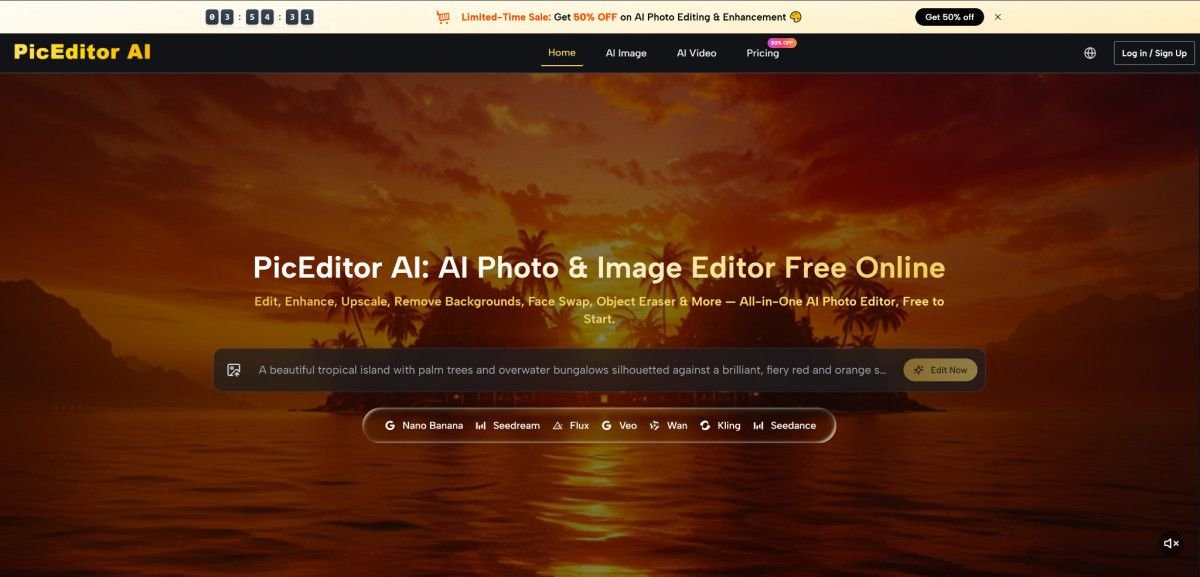
What makes this particular platform worth a serious look isn’t the usual hype cycle. It is the quiet, unglamorous reality that the editing process itself finally feels like it was designed by someone who actually edits photos. The interface strips away the noise. You upload an image, choose a quick edit, or describe exactly what you want changed. That is it. Three pathways, one destination. No hidden menus, no buried settings, no assumption that you already know what a layer mask does.
A Testing Framework That Separates Real Utility from Empty Claims
To understand whether this platform actually works in practice, I ran a series of real-world editing tasks over several weeks. The goal was not to generate perfect results every time, but to see how the tool handles the kinds of messy, imperfect photos that actual users bring to it. The methodology was straightforward: start with images that have obvious problems—underexposed portraits, cluttered backgrounds, dated color grading, low resolution—and see what happens.
The Portrait Retouching Test
The first task was a portrait taken in poor lighting. Skin tones looked muddy, details were soft, and the overall image felt flat. Uploading the image and selecting the enhancement option took about four seconds. The result came back noticeably cleaner. Skin retained natural texture rather than the waxy smoothness that plagues many automated retouching tools. Shadow detail lifted without introducing noise, and the color balance shifted toward something more natural. It was not a miracle, but it was genuinely usable.
What stood out was the restraint. Many AI editors overcorrect, pushing contrast and saturation to extremes that look impressive in a thumbnail but fall apart at full resolution. This one appeared to prioritize preservation over transformation. The image still looked like the same person in the same room, just better lit and more refined.
The Generative Edit Challenge
The second task involved removing a distracting element from a landscape photo. A signpost in the foreground broke the composition, and cloning it out manually would have taken several minutes in traditional software. Using the generative edit feature, I described what I wanted removed. The AI processed the request and returned an image where the signpost had vanished. The background filled in convincingly—grass texture matched, shadow direction remained consistent, and there was no telltale smudging.
This is where the platform’s integration of multiple models becomes visible. The about page notes that the platform integrates advanced models including Nano Banana, Nano Banana 2, Google Veo 3/3.1, GPT-4o, and Flux. Having access to this range of engines means different tasks can be routed to the most suitable model, rather than forcing one-size-fits-all solutions. In practice, this translated to better results across different types of edits.
The Style Transfer Experiment
For the third test, I converted a standard outdoor portrait into something more artistic. The goal was to see whether the style transfer could produce something that looked intentional rather than algorithmic. The platform offers various creative effects, and the result was surprising. The output retained facial structure and key details while adopting the visual language of the chosen style. It did not look like a filter slapped on top; it looked like a reinterpretation.
The platform’s prompt examples on the homepage give a sense of what is possible. Descriptions like “submerged ethereal dream” and “lone desert traveler” demonstrate the range of cinematic aesthetics the system can handle. These are not abstract concepts—they are specific visual directions that the AI appears to understand with surprising nuance.
How the Platform Actually Works
The workflow is refreshingly direct. There is no account creation required to start editing, no tutorial to sit through, no paywall before you can see what the tool can do. The entire process happens in the browser.
Step One: Upload Your Image
The Upload Experience
Drag and drop or click to select a file. The interface accepts common image formats and handles them without compression artifacts during the initial upload. There is no visible progress bar that stalls at 99%, no mysterious processing queue, no demand that you crop or resize before the AI can work. The image appears on screen, and you are immediately presented with options.
What Happens Behind the Scenes
The platform processes the image locally for preview purposes, then sends it to the selected AI model for editing. This split approach means you see your image instantly while the heavy computation happens in the background. From a practical user perspective, the wait time feels minimal for most standard edits, though complex generative tasks may take a few extra seconds.
Step Two: Choose Your Edit Type
Quick Edits
For users who know exactly what they want, the quick edit options provide one-click solutions. Enhancement, retouching, and style application fall into this category. These are the edits that traditional software would require multiple steps to achieve.
Descriptive Edits
For more complex changes, the platform accepts natural language descriptions. You type what you want—”remove the person in the background,” “make the sky more dramatic,” “turn this into a cyberpunk scene”—and the AI interprets the request. The accuracy varies depending on how specific the description is, but in my testing, clear instructions produced reliable results.
The Model Selection Factor
One aspect worth noting is that the platform does not force you to choose a model manually. The selection happens automatically based on the edit type. This abstraction is a deliberate design choice that lowers the barrier to entry significantly. You do not need to know whether Nano Banana Pro handles portrait retouching better than Flux Kontext Max. The system makes that decision for you.
Comparing the Experience to Traditional and Single-Purpose Tools
| Aspect | PicEditor AI | Traditional Software | Single-Purpose AI Tools |
| Learning Curve | Minimal; upload and edit immediately | Steep; requires weeks or months of training | Low for specific tasks, but each tool has its own interface |
| Workflow Integration | All editing types in one place | Comprehensive but fragmented across modules | Requires switching between multiple tools for different edits |
| Edit Control | Descriptive and quick options; results may vary | Precise but time-consuming | Limited to the tool’s specific function |
| Speed | Seconds for most edits | Minutes to hours for complex edits | Fast for specific tasks, but context switching adds time |
| Creative Range | Broad; enhancement, generative edit, style transfer, video | Very broad but requires expertise | Narrow; each tool excels at one thing |
| Output Consistency | Generally reliable; prompt quality affects results | Consistent once you know the software | Consistent within the tool’s domain |
Where the Platform Excels and Where It Falls Short
Strengths That Matter in Practice
The most significant advantage is the elimination of context switching. Having enhancement, generative editing, style transfer, and photo-to-video in one interface changes how you approach creative work. You stop thinking about which tool to open and start thinking about what you want to create.
The integration of multiple models is another genuine strength. The about page confirms the platform integrates Nano Banana, Nano Banana 2, Google Veo 3/3.1, GPT-4o, and Flux. This variety means the system can handle a wider range of tasks than any single-model platform. Portrait retouching benefits from one model’s strengths while landscape generation leverages another’s. The result is a more versatile tool that adapts to the task rather than forcing the task to adapt to the tool.
The pricing structure also deserves mention. The Starter plan at $8.3 per month with 10,000 credits and the Pro plan at $25 per month with 32,000 credits offer entry points for different usage levels. The Unlimited plan at $75 per month removes credit limits entirely, which makes sense for high-volume creators. The yearly options provide significant savings, with the Pro yearly plan saving $760 compared to monthly billing. Commercial licensing is included in all annual plans, which removes a common headache for professionals.
Real Limitations Worth Acknowledging
No AI editing platform is perfect, and this one is no exception. The quality of results depends heavily on the quality of the input image and the clarity of the instruction. Vague descriptions produce vague results. Complex scenes with multiple overlapping elements may require several generations to get right. The result may vary from one attempt to the next, which is the nature of generative AI.
The platform does not offer the granular control of traditional software. You cannot manually adjust curves, fine-tune masks, or perform pixel-level corrections. If your workflow demands that level of precision, this is not a replacement for professional editing suites. It is a complement—a tool for rapid iteration and creative exploration that gets you 80% of the way there in seconds.
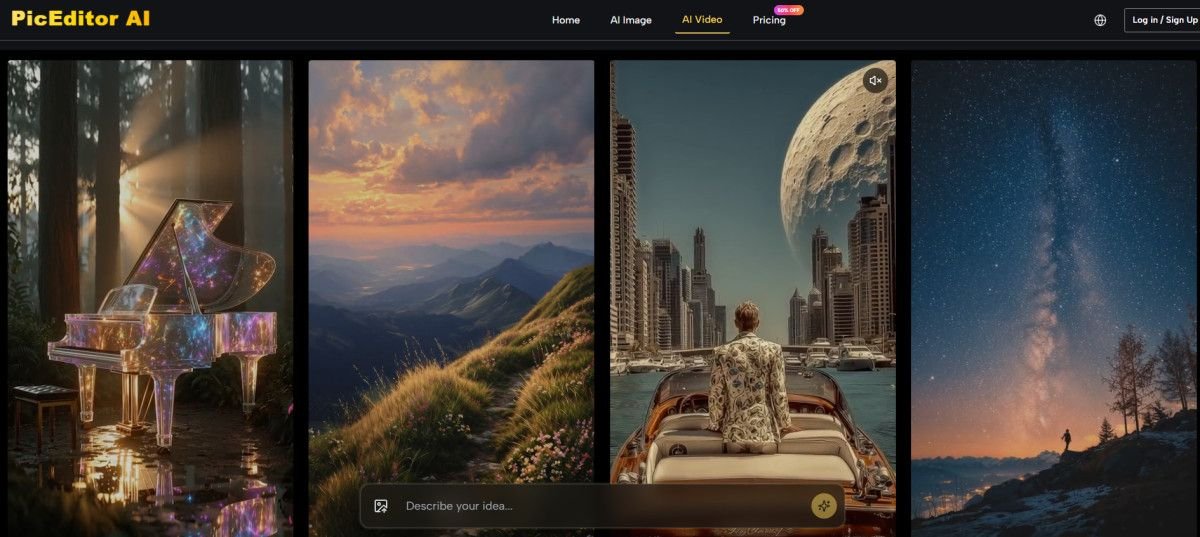
Another consideration is that the platform’s video generation capabilities, while impressive, are still evolving. The about page mentions that many photo animation and video models come with native audio capabilities, automatically syncing dialogue, sound effects, and ambient noise. In practice, this works best for shorter clips and simpler scenes. Complex narratives with multiple characters or rapid motion may require more refinement.
Who Benefits Most from This Approach
The platform appears best suited for creators who need to produce high-quality visuals quickly without becoming full-time editors. Social media managers, content marketers, small business owners, and freelance designers fall into this category. The learning curve is shallow enough that anyone can start editing immediately, yet the range of capabilities is deep enough to handle professional-grade work.
For photographers and designers who already use traditional software, the platform serves as a powerful accelerator. Instead of spending twenty minutes removing a background or retouching skin, you can get a result in seconds and then refine it in your preferred tool. This hybrid workflow—AI for speed, manual editing for precision—is where the platform shines brightest.
The photo-to-video capability opens additional possibilities. Static images become short animated clips, which is valuable for social media content, presentations, and marketing materials. The platform’s asset management system stores all edited and animated content in a private cloud library, making it easy to access and export work across sessions.
The Bottom Line on Real-World Usability
After several weeks of testing across different image types and edit requirements, the platform has proven to be genuinely useful rather than merely impressive. The difference matters. Impressive tools make you say “wow” once and then sit unused. Useful tools become part of your workflow because they save time and deliver consistent results.
The platform does not pretend to be something it is not. It does not claim to replace professional editors or make every image perfect on the first try. What it does claim—and what it appears to deliver—is a faster, more intuitive way to handle the most common editing tasks. The generative edits work more often than they fail. The enhancements improve images without destroying their character. The style transfers produce results that look intentional rather than accidental.
For anyone tired of juggling multiple tools or wrestling with complex software for simple edits, this platform is worth trying. The free access means there is no barrier to entry, and the tiered pricing means you only pay for what you actually use. The real test, as with any creative tool, is whether it makes you more productive. In my experience, the answer is yes—not because it does everything perfectly, but because it does the right things well enough to become part of a practical, efficient workflow.
The broader shift toward integrated AI editing platforms is still in its early stages. What makes this one notable is the attention to workflow rather than features. The platform does not try to do everything; it tries to do the essential things in a way that feels natural. That distinction, in the end, is what separates tools that get used from tools that get forgotten. For creators who value time as much as quality, AI Photo Edit represents a genuinely practical step forward in how we approach visual content creation.
You Might Also Like...
 FintechZoom NASDAQ: The Complete Guide to Real-Time Trading Insights and Market Intelligence in 2026
 Awius: The Future of Digital Identity & Adaptive Solutions
 Moving Beyond the Prompt: The ROI of Localized Editing in Professional Workflows
 Multiple Face Swap: The Future of Creative Photo and Video Editing