iTop Voicy has revolutionized digital communication by offering users a platform for real-time voice transformation. Imagine altering your voice on the fly, adding a layer of anonymity, humor, or simply experimenting with diverse personas during online interactions. Whether you’re gaming with friends, attending virtual meetings, or creating content for social media, iTop Voicy makes it easy to explore different vocal styles without any technical hassle. In this beginner’s guide, we’ll learn everything about iTop Voicy, including its key features, benefits, drawbacks, how to use it, and more.
Part 1: Top Reasons to Try a Real-Time Voice Changer in 2026
In today’s digital age, real-time voice changers have become increasingly popular. They can be used to add a layer of fun and creativity to online conversations. Here are the top reasons to try a real-time voice changer for PC in 2026:
- Enhance Gaming Experience: Real-time voice changer enables you to try different characters while streaming or playing multiplayer games, making interactions more entertaining.
- Protect Your Privacy: If you want to hide your real identity, a real-time voice changer is the best option. It masks your real voice and ensures that your original voice remains hidden during online calls or gaming sessions.
- Content Creation: A real-time voice changer enables users to create videos, podcasts, or do live streams in multiple voices, making interactions fun and engaging. Content creators can easily switch between different characters or tones without needing extra recordings.
Part 2: iTop Voicy: Easy Voice Changing for Beginners
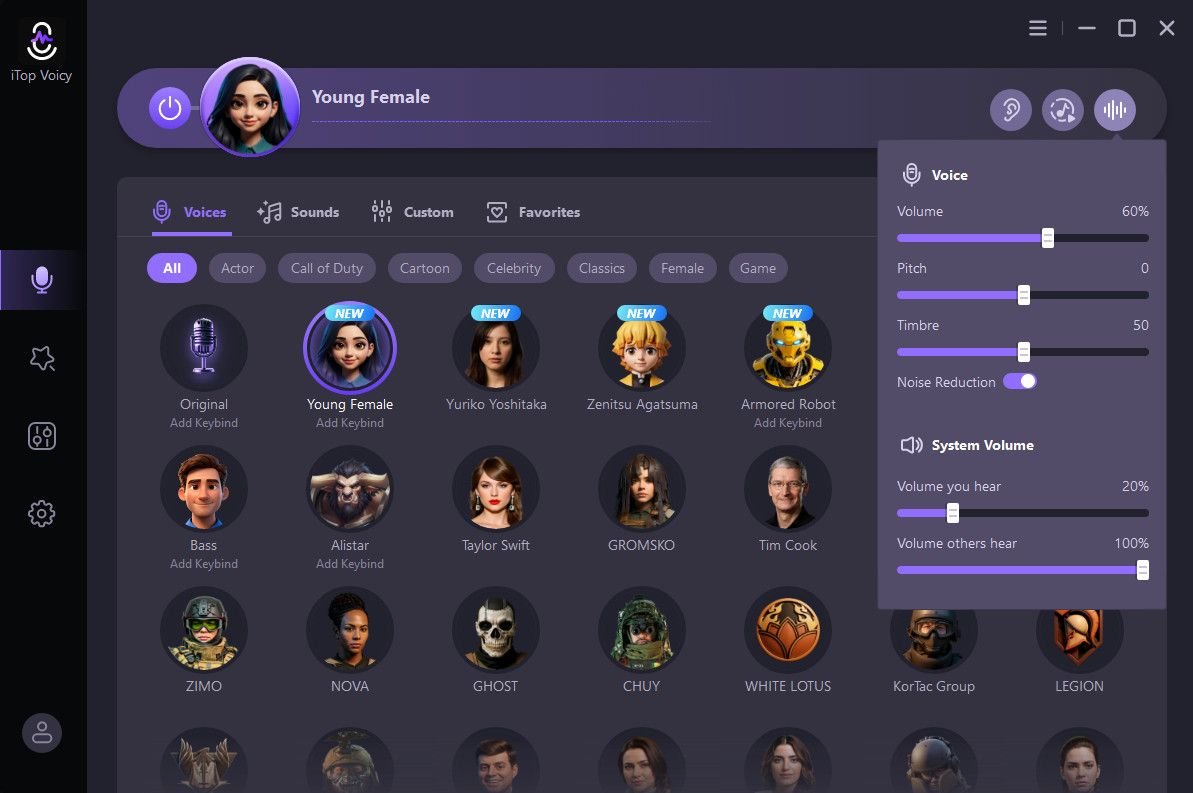
If you’re someone who is trying a real-time voice changer for the first time, and don’t know how to use it. Don’t worry! iTop Voicy is a simple and intuitive real-time voice changer available in 2026, ideal for non-tech and beginner users. The program includes 100+ AI voices that can alter your voice instantly with just a single click. Its clean interface makes navigation effortless, letting you apply voice effects during gaming, live streaming, or online calls without any lag. Additionally, iTop Voicy works seamlessly with popular platforms and games, including Discord, Twitch, Google Meet, Zoom, Fortnite, Valorant, Roblox, and Call of Duty. It also allows users to adjust parameters of both preset and custom voices. Modify the pitch, speech, formant, timbre, emotion, etc, to meet your needs.
Part 3: Key Features and Capabilities of iTop Voicy
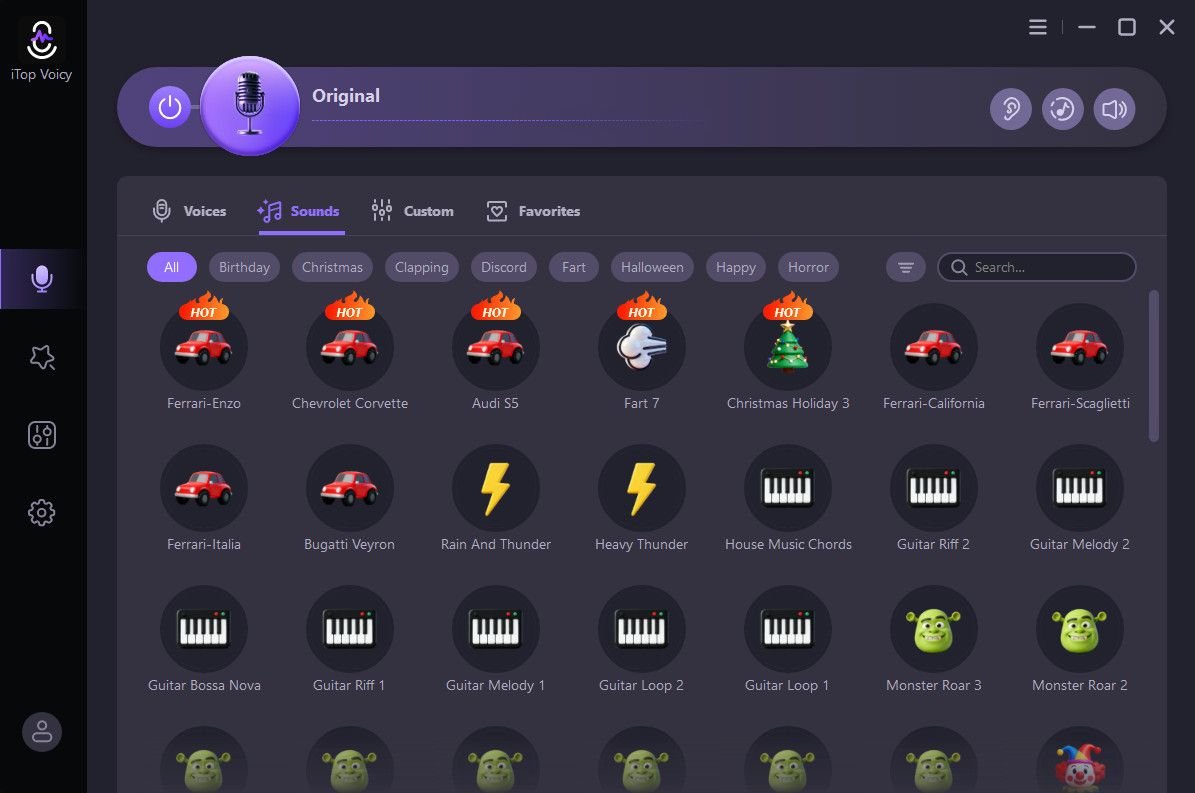
iTop Voicy is known for its straightforward interface, and it also offers a range of advanced features that make it one of the top voice changers for pc in 2026. Here are the top ones:
- Real-Time Voice Changing: iTop Voicy enables users to alter their voice in real-time during live streams, online calls, and gaming sessions. It supports hundreds of PC programs, such as Discord, Zoom, Twitch, and Google Meet.
- 100+ AI Voice Effects: The program includes 100+ AI voice effects, each with a unique tone and accent. iTop Voicy includes voices of famous characters and celebrities, such as Naruto, Donald Trump, Joe Biden, Drake, and Selena Gomez.
- Instant Voice Switch: With this tool, users can change their voice instantly without any delays. It allows you to assign custom keybinds to different voice models, allowing you to instantly switch voices during live sessions.
- Customize AI Voices: iTop Voicy’s advanced voice lab allows you to customize built-in AI voices or create a new one. Users can adjust pitch, timbre, formant, emotions, etc, according to their requirements.
- User-Friendly Interface: One of the standout features of this program is that it offers an intuitive and beginner-friendly interface, allowing users to navigate through settings without professional help.
Part 4: iTop Voicy: Benefits and Limitations for Beginners
The program offers a range of powerful features and easy-to-use tools, but it’s important to understand both its advantages and limitations before using this program:
Pros
- Works seamlessly with popular programs, such as Discord, Zoom, Twitch, and Google Meet.
- Noise Reduction feature automatically detects the background noise and eliminates it without sacrificing the original quality.
- Free to use. You can access all features and AI voices available on this program without any cost.
- User-friendly interface, which is best for non-tech and beginner users. Clearly labeled buttons and easy-to-access voice options.
- Compatible with multiple devices, such as Android, iOS, Windows, and macOS, bringing creativity to every device without limitations.
Cons
- The free version of iTop Voicy has limitations compared to the paid version.
Part 5: Step-by-Step Guide: How to Use iTop Voicy?
Follow the instructions below to learn how to use iTop Voicy to alter your voice in real-time in 2026:
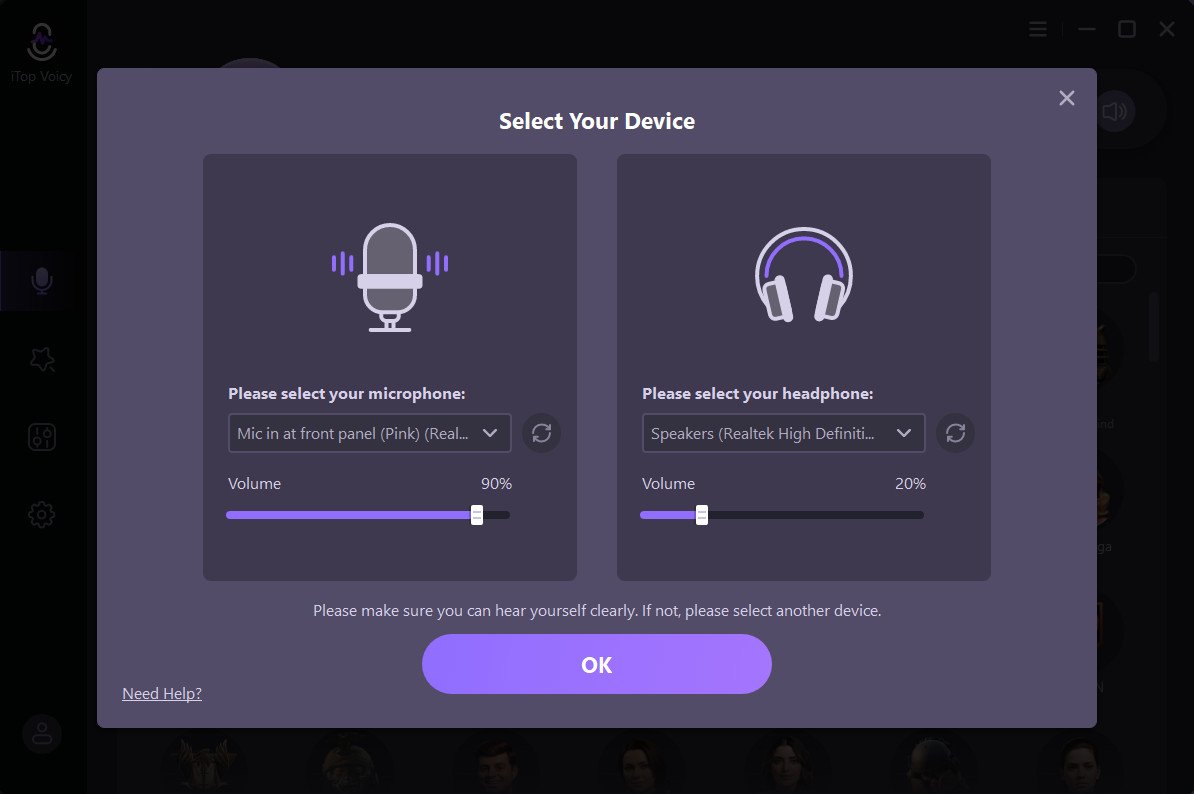
- Go to the iTop Voicy official site and download the latest version on your device. Launch it and navigate to “Settings.” Choose the input and output devices.
- Click on the “Microphone Icon” available on the left panel. Hundreds of AI voices will appear on your screen. Select the “Voice Model.”
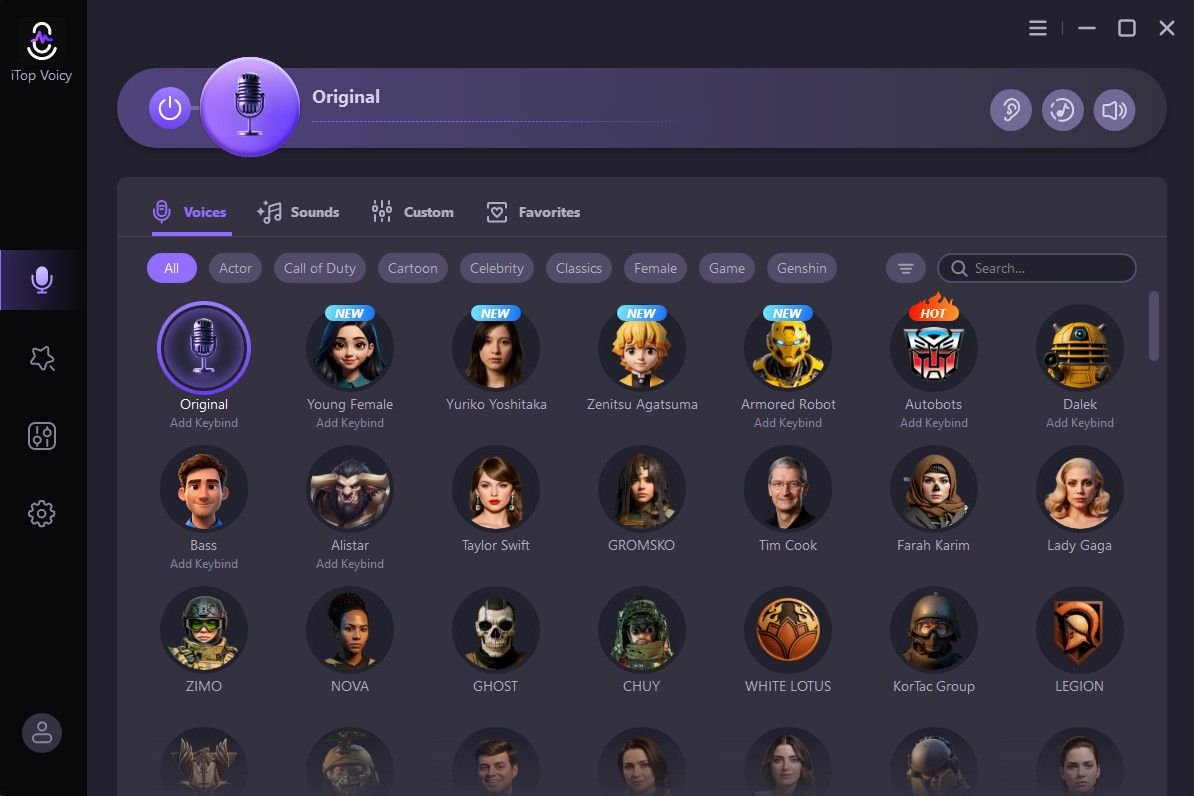
- Activate the “Hear Myself” option to listen to your own altered voice in real-time. Adjust the parameters to customize it according to your requirements.
Conclusion
iTop Voicy is the best real-time voice changer for beginners. It enables users to alter their voice in real-time without any professional help or technical expertise. Further, it supports a wide range of PC programs such as Discord, Zoom, and Twitch.