Getting hit with a MiniChat banned message — especially without a clear explanation — is genuinely disorienting. One moment the app works fine; the next, access is gone and there’s no obvious path back. For most users, the immediate questions are the same: what triggered this, is it permanent, and is there any way to fix it?
minichat banned — Minichat Banned: Why It Happens & How to Get Back
The answers depend entirely on what type of ban was issued. MiniChat enforces at least three distinct account restrictions — temporary suspensions, permanent bans, and shadow bans — and each one follows a different logic, carries different consequences, and requires a different response. Confusing them is the most common reason users waste time on the wrong fix.
Some bans are deserved. Others land on users who did nothing wrong, triggered by automated systems responding to mass false reports or a misread content violation. Both situations are real, and both have a legitimate path forward — if you know where to look.
What follows covers the full ban lifecycle: the specific behaviors that get accounts flagged, how to identify which type of ban you’re dealing with, a concrete step-by-step appeal process, and what to do differently once access is restored. For comprehensive platform guidance, check out the complete MiniChat guide for best practices.
Why MiniChat Bans Accounts: The Real Reasons
Answer: MiniChat bans accounts for violations ranging from zero-tolerance offenses like nudity and underage content — which trigger an immediate permanent ban with no prior warning — to lower-level infractions like spam behavior or misleading profile information, which may escalate through warnings before resulting in a suspension. Knowing which category your behavior falls into is the first step toward understanding whether your ban is reversible.
Violations That Trigger an Immediate Ban
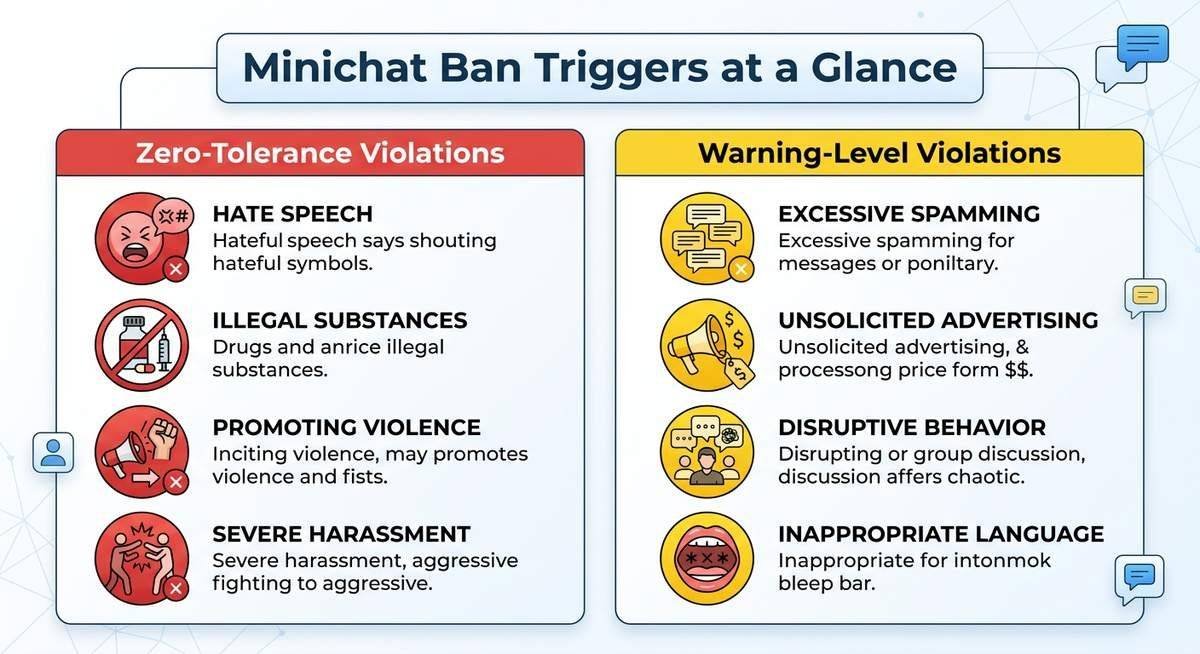
Certain behaviors sit completely outside the bounds of appeal. MiniChat’s community guidelines treat nudity, sexually explicit content, any interaction that sexualizes minors, hate speech, and direct threats as zero-tolerance violations — meaning the platform’s moderation system is designed to act without issuing a prior warning.
Underage content is the most serious category. Any account flagged for interactions involving users who appear to be minors in a sexual context faces a permanent ban and, in many jurisdictions, potential referral to law enforcement. These bans are almost never reversed through an appeal.
Hate speech and credible threats follow the same logic. A single reported incident — not a pattern — is enough to trigger permanent removal. MiniChat’s automated moderation layer can action these reports within minutes of a complaint being filed.
Violations That May Start With a Warning
Not every ban arrives without notice. Spam-like behavior — sending identical messages to multiple users, flooding chats with links, or using the platform to promote external services — typically accumulates reports before triggering enforcement action. MiniChat’s system tracks report frequency, so a single complaint rarely ends an account on its own.
Repeated skipping, aggressive language, and harassment fall into the same escalating category. Misleading profile information, such as using someone else’s photos or misrepresenting age, also draws reports that compound over time. Each new report adds weight to an account’s moderation history.
In practice, accounts with multiple low-level reports across different users are more likely to face a sudden ban than accounts with one isolated complaint — because the pattern itself signals a systemic problem rather than a misunderstanding.
Wrongful Bans and False Reports
Automated moderation systems don’t distinguish intent from outcome. A user whose background accidentally contains nudity — a painting, a television screen, an open magazine — can be flagged and banned just as quickly as someone acting deliberately. The system processes the report, not the context.
Mass false reporting is a real and documented problem on video chat platforms. A coordinated group of users reporting the same account can trigger an automated ban even when the targeted user has done nothing wrong. MiniChat’s moderation infrastructure relies heavily on report volume as a signal, which makes it vulnerable to this kind of abuse.
Being wrongfully banned is genuinely frustrating, and the confusion is understandable — especially when no explanation arrives with the ban notification. The good news is that wrongful bans are among the most successfully appealed cases, provided the user can clearly articulate what actually happened. For guidance on platform safety features, see Common Sense Media’s chat safety guide.
| Violation Type | Examples | Typical Outcome | Warning Given? |
|---|---|---|---|
| Zero-tolerance offense | Nudity, underage content, hate speech, threats | Immediate permanent ban | No |
| Escalating violation | Spam, harassment, misleading profile, repeated skipping | Warnings, then suspension or ban | Usually yes |
| False report | Mass reporting, accidental background content | Automated ban, reversible via appeal | No — automated action |
Types of MiniChat Bans: Temporary, Permanent, and Shadow Bans
Answer: MiniChat issues three distinct types of bans, and correctly identifying which one you’re dealing with determines everything about your next move. A temporary suspension lifts on its own. A permanent ban requires a formal appeal. A shadow ban won’t even tell you it exists. Treating the wrong ban type with the wrong response wastes time — or kills your chances of recovery entirely.
Temporary Suspension
A temporary suspension typically locks you out for anywhere between a few hours and several days, and MiniChat usually displays a message indicating when access will be restored. The account itself isn’t deleted — you’re simply blocked from logging in or matching until the timer expires.
Common triggers include a sudden spike in reports from other users, aggressive skipping behavior that MiniChat’s automated systems flag as spam-like, or a first-time minor guideline violation. In most cases, the suspension lifts automatically without any action on your part.
The practical advice here is simple: wait it out. Attempting to create a second account during an active temporary suspension is one of the fastest ways to escalate the situation into a permanent ban.
Permanent Account Ban
A permanent ban shows no countdown timer and no restoration date. Attempting to log in either fails outright or returns a vague access-denied message with no path forward through normal account recovery. This is the ban type that genuinely requires action.
Because MiniChat links accounts to Facebook credentials, a permanent ban can flag the associated Facebook login as well — meaning creating a new MiniChat account with the same Facebook profile often results in an immediate re-ban. Zero-tolerance violations like nudity, hate speech, and any content involving minors are the primary triggers for permanent bans, typically with no prior warning.
An appeal submitted through MiniChat’s official support channel is the only legitimate route back. Without one, the account is unrecoverable.
Shadow Ban
A shadow ban is the most disorienting of the three because the account appears completely functional from the inside. You can log in, swipe, and send messages — but other users effectively can’t see you. Match rates drop to near zero, and conversations go unanswered not because people are ignoring you, but because your profile is suppressed in their feeds.
Detecting a shadow ban usually comes down to a sudden, unexplained collapse in match activity with no error message or notification from MiniChat. Spam-like behavior — rapid swiping, copy-paste messages sent to many users, or accumulating multiple reports in a short window — is the most common cause.
Unlike a temporary suspension, a shadow ban doesn’t announce itself or offer a resolution timeline. Slowing down activity, avoiding repetitive messaging patterns, and waiting several days sometimes resolves it. Persistent cases may warrant a direct support inquiry.
| Ban Type | Visible to User? | Account Access | Typical Duration | Action Required? |
|---|---|---|---|---|
| Temporary Suspension | Yes — timed message shown | Blocked until timer expires | Hours to a few days | No — lifts automatically |
| Permanent Ban | Yes — access denied message | Fully blocked, no recovery path | Indefinite without appeal | Yes — formal appeal required |
| Shadow Ban | No — account appears normal | Can log in, but profile suppressed | Days to weeks | Slow activity, wait, or contact support |
How to Appeal a MiniChat Ban: Step-by-Step
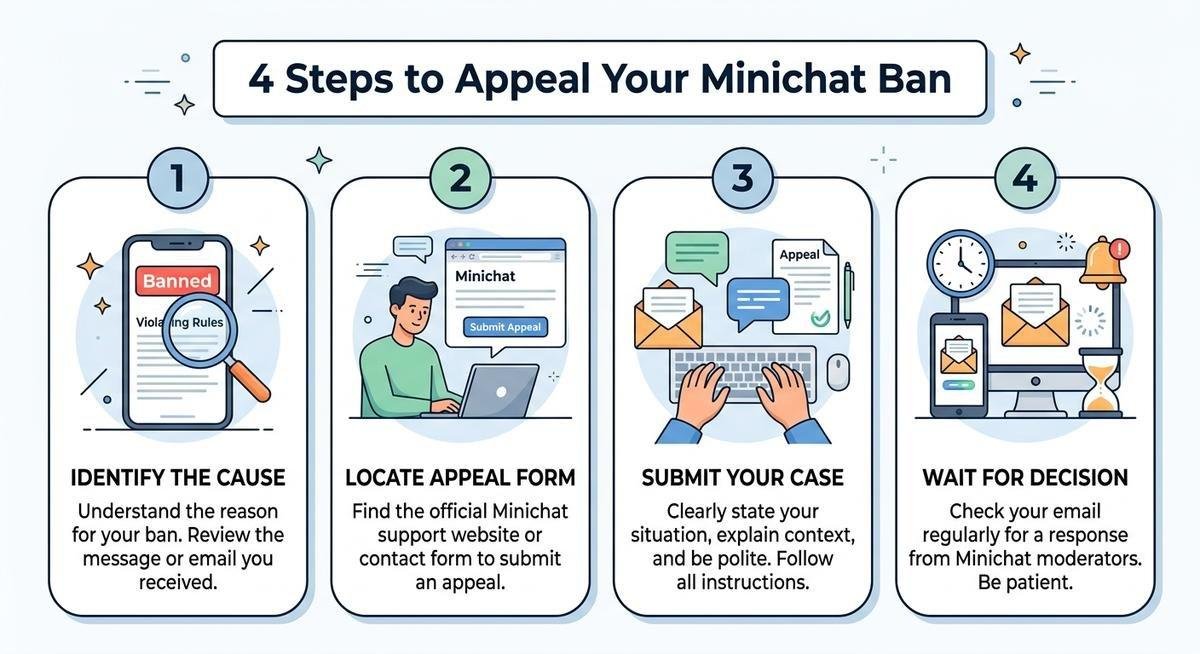
Answer: Submitting a ban appeal to MiniChat support is straightforward — but most users fail because they skip preparation or send an emotionally charged message. Gather your account details first, contact MiniChat through the official channel, write a calm and factual appeal, then follow up once if needed. The entire process typically takes 5–10 business days.
Step 1 — Gather Your Account Information
Before writing a single word to support, collect everything that identifies your account. That means your registered email address, the Facebook account linked to MiniChat, the approximate date your access was cut off, and any screenshots — error messages, chat logs, or anything that provides context for your case.
A vague appeal is easy to dismiss. Specific account details give the support team something concrete to look up, and evidence of a wrongful ban — say, a false report from another user — can meaningfully shift the outcome.
Step 2 — Contact MiniChat Support Directly
MiniChat’s official support channel is reachable via the in-app help section or by emailing their support team directly through the address listed on the MiniChat website. Do not use third-party workarounds or VPN-based re-entry attempts — those can permanently flag your device and close the door on a legitimate appeal.
Your initial message should include your registered email, linked Facebook username, the ban date, and a one-paragraph summary of your situation. Keep the tone factual and polite — this is a support ticket, not a complaint forum.
Step 3 — Write an Effective Appeal Message
Structure matters here. A strong appeal follows a simple framework: acknowledge the ban, state your case factually, reference any supporting evidence, and close with a specific request for account review.
For wrongful bans especially, avoid language like “I did nothing wrong” without backing it up. Instead, describe what actually happened — calmly and specifically. Aggressive or accusatory messages are the single most common reason appeals are rejected outright, even when the user has a legitimate case.
| Appeal Element | What to Include | What to Avoid |
|---|---|---|
| Opening | Account email, Facebook username, ban date | Emotional language or accusations |
| Body | Factual account of what happened; any evidence | Vague claims with no supporting detail |
| Closing | Polite, specific request for account review | Threats to leave the platform or post publicly |
Step 4 — Follow Up and Set Expectations
If no response arrives within 5–7 business days, one polite follow-up is reasonable. Reference your original ticket, restate your account details briefly, and ask for a status update. Sending multiple follow-ups before that window closes typically pushes your ticket lower in the queue.
Understand that not all appeals succeed. Zero-tolerance violations rarely result in account restoration, and even wrongful bans can take weeks to resolve if support is backlogged. Patience and a professional tone give you the best chance of a positive outcome. For more on digital safety and account recovery, review FTC guidance on online account security.
How to Unban MiniChat on iPhone and Android
Answer: The core appeal process is identical across iPhone and Android devices, but platform-specific steps like clearing app data, resetting device identifiers, or reinstalling the app can help remove soft flags that prevent re-access after a ban is lifted. These device-level resets don’t bypass a ban, but they ensure MiniChat doesn’t carry over cached ban signals when your account is restored.
MiniChat Unban iPhone: iOS-Specific Steps
On iOS, MiniChat may cache ban flags tied to your Apple ID, device identifier, or iCloud account. If your appeal succeeds but you still can’t log in, start by fully deleting the MiniChat app — not just offloading it. Hold the app icon, select “Remove App,” then “Delete App.”
Next, go to Settings > General > iPhone Storage, find MiniChat, and confirm all app data is cleared. Restart your device. Reinstall MiniChat from the App Store and attempt to log in with the restored account credentials. This process ensures iOS doesn’t carry over residual ban markers.
If the issue persists, try logging in with a different Apple ID temporarily, or reset your device’s advertising identifier by going to Settings > Privacy & Security > Apple Advertising > Reset Advertising Identifier. This won’t bypass a ban, but it can clear device-level flags that interfere with re-access.
MiniChat Remove Ban Android: Device-Level Fixes
Android devices store app data in multiple layers — cache, storage, and device identifiers — and clearing each one can help restore access after a successful appeal. Start by uninstalling MiniChat completely: go to Settings > Apps > MiniChat > Uninstall.
Before reinstalling, clear cached data by going to Settings > Storage > Cached Data and tapping “Clear Cached Data.” Restart your device. Reinstall MiniChat from the Google Play Store and log in with your restored account.
If login still fails, reset your advertising ID by going to Settings > Google > Ads > Reset Advertising ID. This clears device-level tracking markers that MiniChat might use to flag previously banned accounts. Note that this process only works if your ban appeal was successful — it does not circumvent an active ban.
Important Warning About Mod APKs
Searches for “MiniChat mod apk no banned” or similar terms often lead users to modified versions of the app that claim to bypass ban enforcement. These modified APKs are dangerous and ineffective. They frequently contain malware, steal login credentials, and can result in a permanent device-level ban that prevents any future MiniChat access — even with a legitimate account.
MiniChat’s server-side moderation system validates accounts on login, meaning a client-side modification cannot bypass a server-enforced ban. Using a mod APK guarantees permanent loss of access and exposes your device to security risks. The only legitimate path to account restoration is a formal appeal submitted through official channels.
Preventing Future Bans: Best Practices
Answer: Once your account is restored, avoiding a second ban requires understanding exactly what triggered the first one and adjusting your behavior accordingly. Most repeat bans happen because users return to the same activity patterns without realizing those patterns were the original problem. The key is intentional moderation: slower interaction rates, carefully monitored profile content, and a deliberate avoidance of behavior that draws multiple reports.
Profile and Content Guidelines
Your profile photo, background environment, and on-screen content are the most commonly reported elements. Ensure no nudity, suggestive imagery, or potentially offensive material is visible anywhere in your video frame — even accidentally. A TV show playing in the background, a poster on your wall, or someone else walking through your space can all trigger reports.
Keep your profile information accurate. Misrepresenting your age, using someone else’s photos, or creating multiple accounts with fake credentials are all automatic red flags for MiniChat’s moderation system.
Interaction Behavior
Aggressive skipping, rapid-fire messaging to multiple users, and sending identical messages to different people are all interpreted as spam by MiniChat’s automated systems. Slow down. Space out your interactions. Treat each conversation as individual rather than broadcasting the same message to everyone.
If you receive reports from other users, take them seriously. Even if the report feels unjustified, accumulating multiple complaints signals a pattern to MiniChat’s moderation infrastructure. A single false report rarely results in action, but several in quick succession can trigger an automated suspension.
Response to Warnings
If MiniChat issues a warning or temporary suspension, treat it as a final notice rather than a minor inconvenience. Most permanent bans are preceded by at least one prior enforcement action. Ignoring a warning and returning to the same behavior almost always results in escalation.
Use the temporary suspension period to review MiniChat’s community guidelines, identify what likely triggered the action, and commit to changing that specific behavior before re-entering the platform.
Frequently Asked Questions
How do I appeal a MiniChat ban?
To appeal a MiniChat ban, gather your account details (registered email, linked Facebook username, ban date, and any supporting screenshots), then contact MiniChat support through the in-app help section or official website email. Write a calm, factual appeal explaining what happened, reference any evidence of wrongful enforcement, and request a formal account review. Follow up once after 5–7 business days if you don’t receive a response. Most appeals are resolved within 10 business days.
Why was I banned from MiniChat for no reason?
MiniChat’s automated moderation system can issue bans based on report volume, even when no actual violation occurred. Common causes include mass false reporting by other users, accidental background content flagged as inappropriate, or a spike in activity interpreted as spam. If you believe your ban was issued without cause, submit a detailed appeal with specific account information and any evidence supporting your case. Wrongful bans are often successfully reversed through the appeal process.
How to bypass MiniChat ban?
There is no legitimate way to bypass a MiniChat ban. Creating new accounts with different credentials, using VPNs, or installing modified APKs will result in device-level or IP-based bans that make future access impossible. The only effective method is submitting a formal ban appeal through MiniChat’s official support channel. If your appeal is successful, your original account will be restored without needing workarounds.
How to unban MiniChat on iPhone?
To restore MiniChat access on iPhone after a successful appeal, fully delete the app (Settings > General > iPhone Storage > MiniChat > Delete App), restart your device, then reinstall from the App Store. If login still fails, reset your advertising identifier (Settings > Privacy & Security > Apple Advertising > Reset Advertising Identifier) to clear device-level ban flags. Note: these steps only work after your ban has been lifted through the official appeal process.
How to remove ban on MiniChat Android?
On Android, after your ban appeal is approved, uninstall MiniChat completely (Settings > Apps > MiniChat > Uninstall), clear all cached data (Settings > Storage > Cached Data), and restart your device. Reinstall from Google Play Store and log in with your restored account. If access is still blocked, reset your advertising ID (Settings > Google > Ads > Reset Advertising ID) to remove device-level tracking markers left from the original ban.
What is MiniChat yasak kaldırma?
“Yasak kaldırma” is Turkish for “ban removal” or “lifting a ban.” The process is the same regardless of language: submit a formal appeal to MiniChat support with your account details, explain your situation factually, and request a review. MiniChat’s support team handles appeals in multiple languages, so you can write in Turkish if that’s more comfortable. Include your registered email, linked Facebook account, and ban date for fastest resolution.
Do MiniChat mod APKs work to avoid bans?
No. MiniChat mod APKs that claim to bypass bans are ineffective and dangerous. MiniChat enforces bans server-side, meaning client-side modifications cannot circumvent account restrictions. Modified APKs frequently contain malware, steal login credentials, and result in permanent device-level bans that prevent all future access — even with legitimate accounts. The only safe and effective method for restoring access is a formal appeal through official channels.
How long does a MiniChat temporary ban last?
MiniChat temporary suspensions typically last anywhere from a few hours to several days, and the app usually displays a countdown timer indicating when access will be restored. The duration depends on the severity of the violation and whether it’s a first-time offense. Temporary bans lift automatically without requiring any action on your part. Attempting to create a second account during an active suspension can escalate the situation to a permanent ban.
Conclusion
Getting banned from MiniChat is frustrating, but most bans — especially wrongful ones — are reversible with the right approach. The key is accurately identifying which type of ban you’re dealing with, submitting a well-prepared appeal through official channels, and making deliberate changes to avoid repeat enforcement once access is restored.
Temporary suspensions resolve on their own. Permanent bans require formal appeals with specific account details and calm, factual explanations. Shadow bans demand patience and behavioral adjustment. Skip the shortcuts — mod APKs, VPNs, and workaround attempts only make permanent restoration impossible. If the appeal process doesn’t work out, it may be worth exploring safer Minichat alternatives rather than risking a device-level block.
If your ban was legitimate, use the appeal process as an opportunity to demonstrate accountability and understanding of what went wrong. If it was wrongful, document what actually happened and present your case clearly. Either way, the appeal system works when used correctly.
Once your account is back, treat it as a final chance. Review MiniChat’s community guidelines, monitor your interaction patterns, and stay aware of what triggers reports. Most users who follow these steps successfully restore access and avoid future problems entirely.